Jetpack Workflow vs. TaxDome: Head-to-Head Comparison [2026]

Jetpack Workflow and TaxDome are two popular software solutions that accountants, CPAs, tax professionals, and bookkeepers use to manage client work.
Both platforms support workflow automation and team management features and integrate with major accounting software systems.
When choosing between the two options for your firm, it helps to know where they differ and which may be more beneficial as you scale.
In this side-by-side analysis, we cover the key features of both platforms alongside their primary advantages and potential drawbacks. Check out the table below for a quick comparison of each software solution before we review them in greater detail:
|
Jetpack Workflow |
TaxDome |
|
| Key Features |
|
|
| Pricing |
|
|
| Unique Advantages |
|
|
| Limitations |
|
|
| Final Verdict | Greater focus on task and workflow management, making it easier for bookkeepers and accountants to track client work, meet deadlines, and save time on repetitive tasks | Greater focus on providing an all-in-one solution for accounting firms to manage all aspects of their practice. Might be best for large firms that have more robust needs. |
An Overview of Jetpack Workflow
Jetpack Workflow is a workflow management tool built specifically for accounting practices. It addresses common inefficiencies that keep firms from scaling, helping them automate critical deadlines, standardize recurring tasks, and track progress on client work so nothing slips through the cracks.
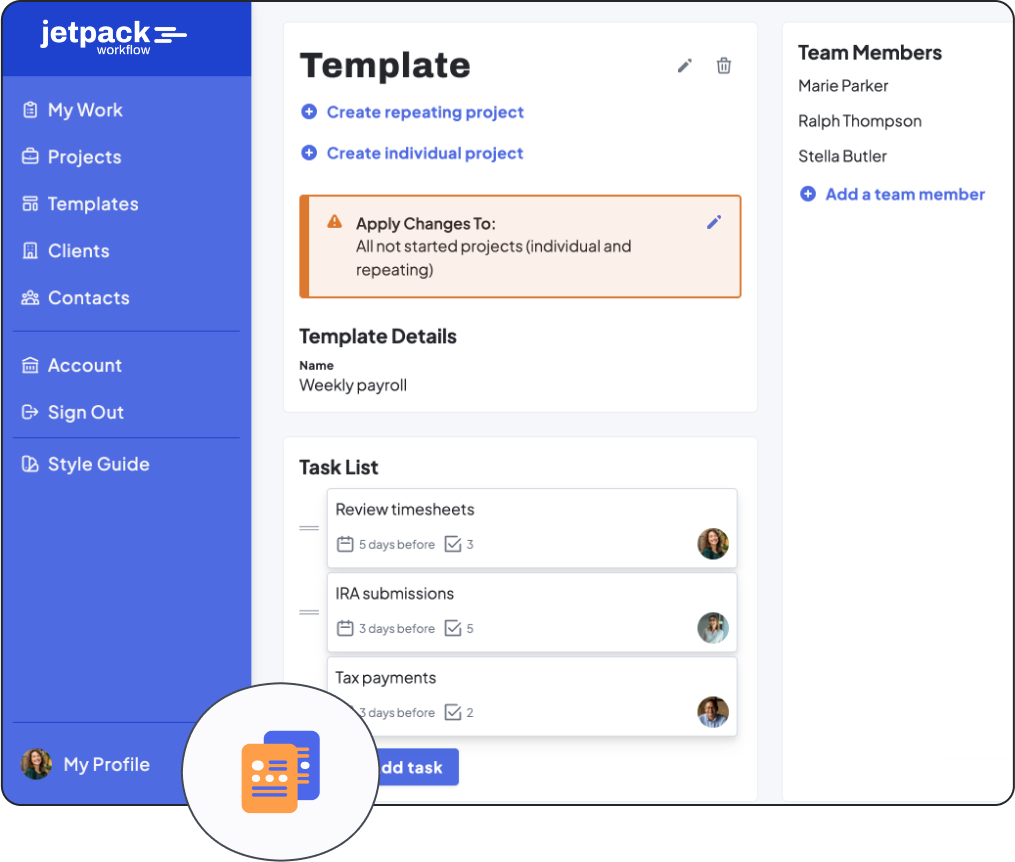
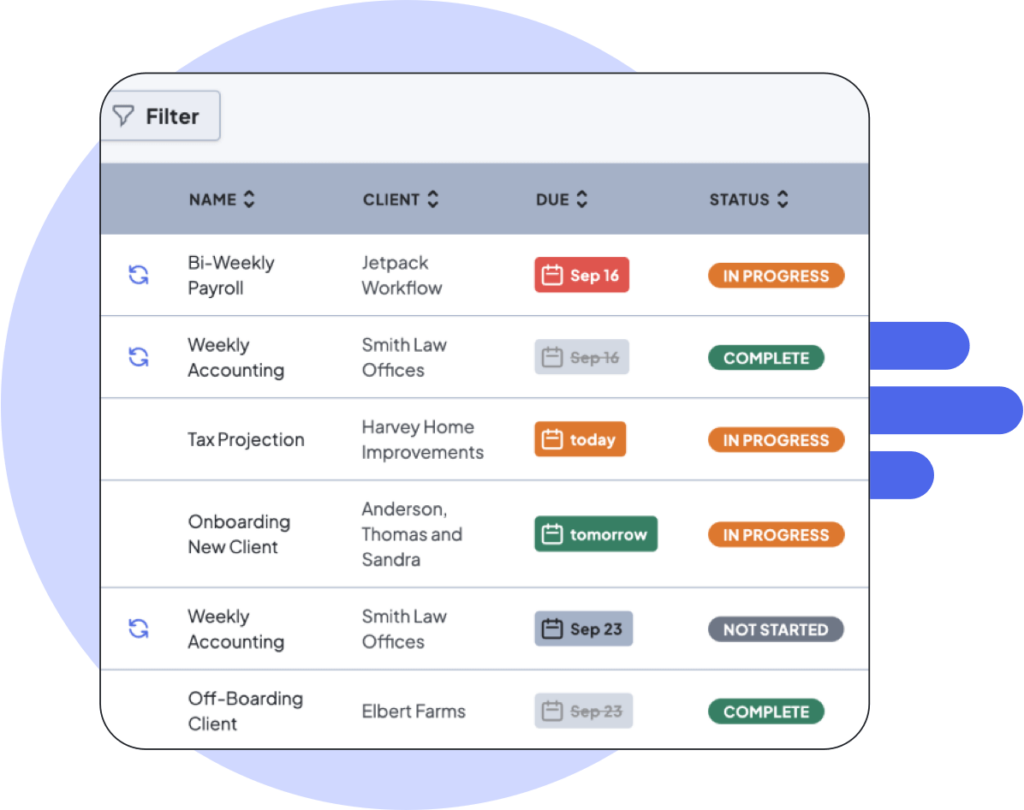
The platform streamlines team collaboration and task management. It gives you a centralized location to track who is working on what tasks, view upcoming deadlines, and better organize recurring work for multiple clients.
Key Features
- Central hub to manage client work, individual tasks, documents, and deadlines
- Automation for recurring tasks to give your team more time for billable work
- Library of 70+ pre-made workflow templates for standard accounting and bookkeeping tasks
- Team management tool to gauge the current availability of your staff and plan for new client work
- Integration with over 2,000 applications through Zapier, including major accounting software programs to access all the critical information you need in one place
Limitations
While Jetpack Workflow doesn’t offer some of the features that all-in-one practice management solutions provide, it’s one of the only dedicated project management tools for bookkeeping and accounting professionals.
Rather than overwhelm users with dozens of features they likely don’t need, the platform focuses on areas that most impact client work and firm growth.
Best For
Jetpack Workflow is best for accountants, bookkeepers, client advisory teams, and firm owners seeking a modern project management solution built specifically for accounting processes. It’s the ideal solution for firms that want to simplify standardized workflows, meet deadlines, and easily track progress on client work across the entire team.
Pricing
Jetpack Workflow offers a 14-day free trial to test out the platform, then two plan options for paid users:
- Starter Monthly plan: For $49/user per month, gain access to unlimited jobs, documents, clients, team collaboration and management, QuickBooks Online and Zapier integration, and live chat, phone, and email support.
- Starter Yearly plan: If you choose to pay yearly, you only pay $40/user per month (saving about 18% compared to monthly billing).
An Overview of TaxDome
TaxDome is an accounting practice management software to help users manage both client-facing and back-office processes.
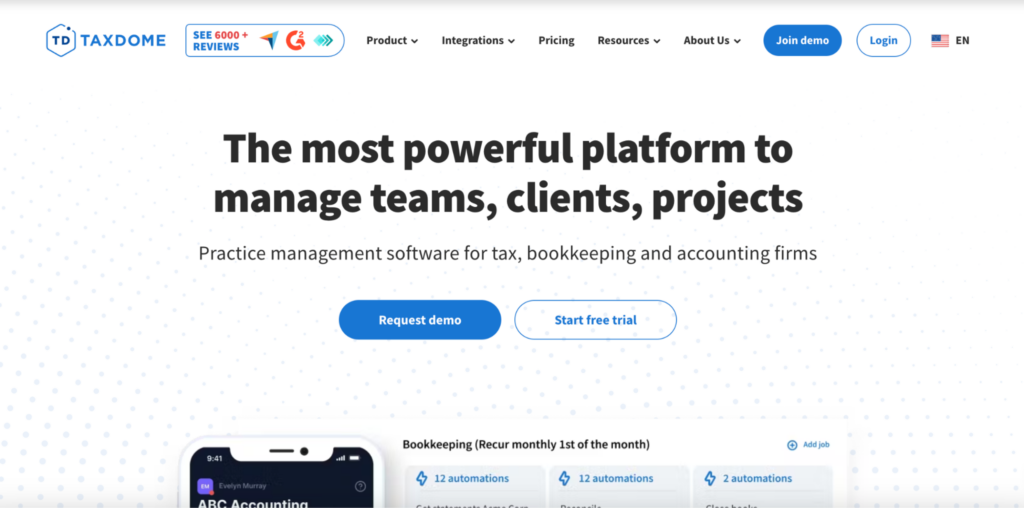
The platform aims to be an all-in-one solution handling everything for your firm, including a website builder, PDF editor, and tools for team management and collaboration, client management, and project tracking.
Key Features
- Website builder
- Branded client portal
- Mobile app for clients and staff
- Customer relationship management (CRM)
- Proposal and engagement letter creation and delivery
- Time tracking and billing
- Workflow automation
- Team and workload management
- Document management and storage
Limitations
Since it’s an all-in-one practice management solution, TaxDome users report a steeper learning curve when implementing the software.
As a result, users may find that they’re not fully taking advantage of all the features they’re paying for (or don’t need all the bells and whistles at this time).
A frequent user complaint is that the platform could have better customization capabilities. So, TaxDome’s one-size-fits-all approach might not suit all accounting practices, especially those with unique workflows.
Best For
TaxDome is a good fit for small to medium-sized firms, CPAs, and tax professionals who want an integrated solution for managing all back-office and client-facing operations.
Pricing
TaxDome pricing starts at $800/user per year for Essentials, which is limited to solo users, on a 1-year commitment. The Pro plan, the first tier that supports a team, is $1,000/user per year on the same commitment. Discounts are available for multi-year subscriptions.
A Side-by-Side Comparison of TaxDome and Jetpack Workflow
How do Jetpack Workflow and TaxDome stack up against each other? This breakdown can help you determine which platform is best for your firm’s needs:
Features
- TaxDome provides a comprehensive suite of tools for tax professionals, including client portals, document management, and billing.
- Jetpack Workflow is uniquely focused on streamlining tasks and workflows for accountants and bookkeepers.
Customization
- TaxDome offers a one-size-fits-all approach with its features, which may only benefit certain accounting practices.
- Jetpack is better for firms with unique workflow needs, as it offers dozens of pre-built templates that users can customize to automate their workflows.
Ease of Use
- Some users find TaxDome’s wide variety of features require a steeper learning curve and longer implementation time.
- Jetpack Workflow is easy to set up and has an intuitive interface, which supports a positive user experience from the start.
Integrations
- TaxDome and Jetpack Workflow both support several integrations, including QuickBooks Online, Gmail, Outlook, and Stripe. Both also integrate with Zapier, which allows users to connect the solution to thousands of other business applications.
Support
- TaxDome offers a help center, video tutorials, courses, and live chat support, though the platform doesn’t have live phone support.
- All Jetpack Workflow users have live phone, email, and chat support. In addition, users can access an on-demand content hub, complimentary training sessions and our content hub.
Pricing
- TaxDome’s cheapest plan, Essentials, starts at $800/user per year on a 1-year commitment and is limited to solo users. A three-year commitment reduces it to $700/user per year.
- Jetpack Workflow offers the same features with two payment options: Monthly billing costs $49/user per month, while annual billing drops the price to $40/user per month.
Trial
- TaxDome offers a 14-day free trial with access to all features except Zapier integrations, the feature-request board, and the TaxDome community.
- Jetpack Workflow also has a 14-day trial, which users can access without submitting payment details.
Overall
- TaxDome provides an integrated solution for tax professionals who require extensive features like document management, a client portal, invoicing, a CRM, and more, along with project tracking. However, the complexity of the platform may deter smaller firms.
- Jetpack Workflow’s dedicated focus on workflow automation and ease of use is often the preferred option for practices that value simplicity and efficiency.
Ready to Make Sure You Never Miss Recurring Client Work Again?
Over 6,000 accountants and bookkeepers use Jetpack Workflow to automate tasks, consistently meet deadlines, and easily manage client work.
Users love how Jetpack Workflow allows them to customize workflows to suit their unique needs without overpaying for features they simply don’t need. Plus, the platform supports seamless team collaboration, ensuring you complete all upcoming work on time.
Schedule a demo or try Jetpack Workflow free for 14 days and see how your team can become more productive and efficient with our accounting workflow management solution.
Frequently Asked Questions
Is Jetpack Workflow cheaper than TaxDome?
Yes. Jetpack Workflow’s Starter plan is $40 per user per month billed annually, which works out to $480 per user per year. TaxDome’s cheapest plan, Essentials, is $800 per seat per year on a one-year commitment and is limited to solo users. Pro, the first TaxDome tier that supports a team, is $1,000 per seat per year.
Can TaxDome’s cheapest plan be used by a team?
No. TaxDome Essentials is restricted to solo users. A firm with more than one person needs Pro at $1,000 per seat per year on a one-year commitment, or Business at $1,200. Multi-year commitments reduce those figures to $900 and $1,100 respectively.
Does Jetpack Workflow include a client portal and invoicing like TaxDome?
No. TaxDome is a full practice-management platform that bundles a client portal, document storage, e-signatures and invoicing. Jetpack Workflow is deliberately narrower: it handles recurring client work, deadlines and team capacity, and does not handle billing or invoicing. Firms that need those typically keep the tools they already use alongside it.
Which is the better fit for a small accounting firm?
It depends on whether you want breadth or speed of adoption. TaxDome suits firms that want to replace several tools with one platform and are prepared for a longer setup. Jetpack Workflow suits firms whose main problem is recurring work slipping through the cracks, and who want something their team can use in days rather than weeks.
Does Jetpack Workflow offer a free trial?
Yes. Jetpack Workflow offers a 14-day free trial and no credit card is required to start. Onboarding, training and support are included at no extra cost.
Does Jetpack Workflow integrate with QuickBooks Online and Zapier?
QuickBooks Online and Zapier integrations are available in version 1 of Jetpack Workflow. Support for both in version 2 is on the roadmap. Because availability depends on which version you are on, contact support@jetpackworkflow.com to confirm what is available for your account.
Share this article