Comparing Karbon vs Canopy is not just about finding the accounting practice management platform with the longest feature list. The more useful question is which operational problem your firm needs to solve first.
Karbon focuses on connecting accounting work with email collaboration, team communication, client management, and workflow visibility. Canopy offers a broader collection of accounting and tax practice management tools, including client portals, document management, billing, and workflow automation.
Both platforms can help accounting firms manage work, but they are built around somewhat different priorities.
For some firms, a broader practice management system is exactly what is needed. For others, the biggest challenge is more specific: recurring deadlines are slipping, assignments are difficult to track, and managers need better visibility into client work.
If that sounds familiar, Jetpack Workflow may be worth considering alongside Karbon and Canopy.
The 30-Second Decision
Choose Karbon if: integrated email, team collaboration, workflow, and communication are central to your firm’s operations.
Choose Canopy if: you want practice management with client portals, document management, billing, and tax-focused capabilities.
Consider Jetpack Workflow if: you already have tools for billing, documents, and client communication, but need better recurring workflow management, deadlines, and team visibility.
Karbon vs Canopy: Start With Your Firm’s Biggest Problem
Accounting firms often compare software based on feature lists. However, the platform with the most features is not necessarily the one that solves your firm’s biggest operational challenge.
A better approach is to identify where work breaks down before deciding which system to buy.
| If Your Main Problem Is… | Best Fit to Investigate | Why |
|---|---|---|
| Client emails and team communication are scattered | Karbon | Integrated email and team collaboration are central to Karbon’s approach. |
| Client documents, signatures, and tax processes are difficult to coordinate | Canopy | Canopy combines practice management with client-facing and tax-focused capabilities. |
| Recurring bookkeeping and accounting deadlines are slipping | Jetpack Workflow | Jetpack focuses on recurring client work, standardized templates, assignments, and deadlines. |
| You want to consolidate several practice management tools | Karbon or Canopy | Both offer broader capabilities beyond basic task tracking. |
| Your existing software works, but workflow visibility is poor | Jetpack Workflow | Improve recurring work management without replacing every existing system. |
What Is Karbon Best For?
Karbon is an accounting practice management platform designed to connect work, communication, and collaboration.
Instead of managing client emails separately from tasks, Karbon helps accounting teams keep conversations connected to the work being completed.
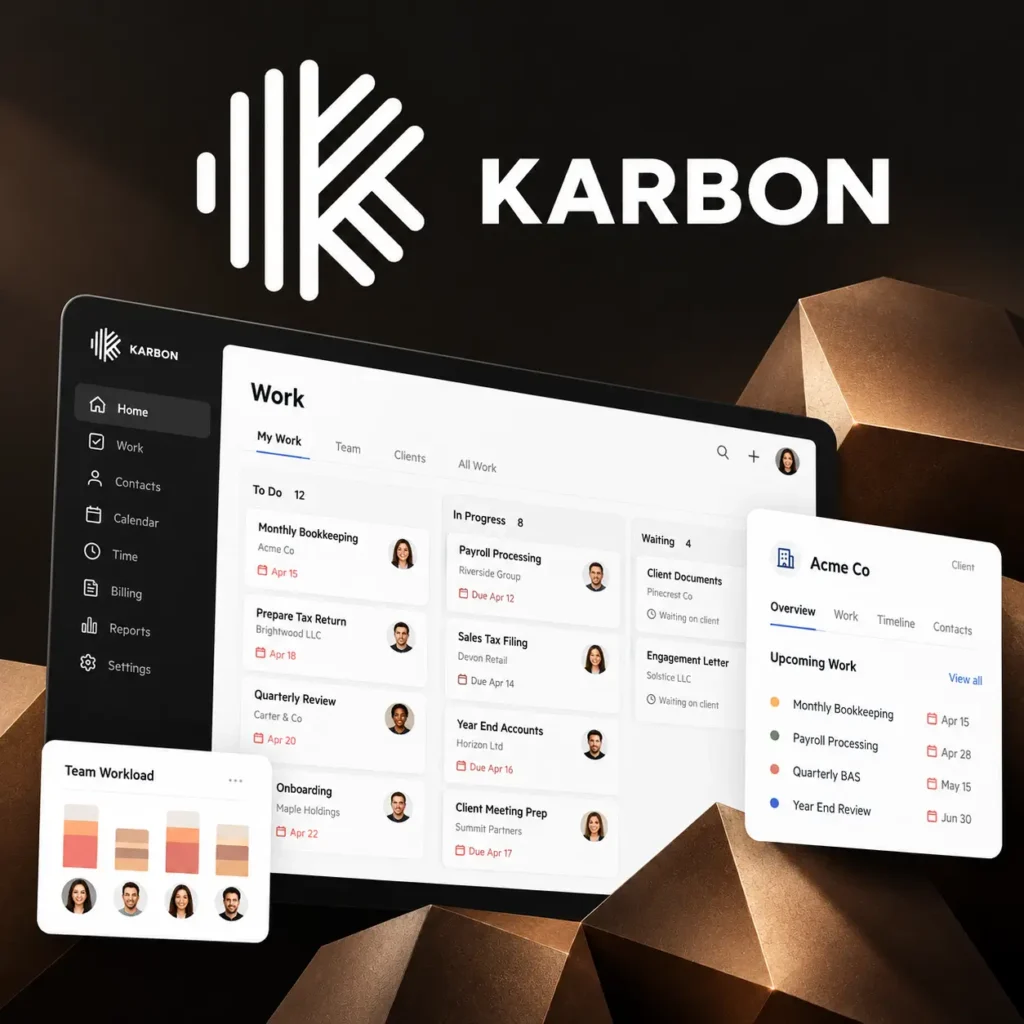
Where Karbon Stands Out
- Integrated email: Share, assign, and collaborate around client emails.
- Team collaboration: Connect conversations with clients, tasks, and projects.
- Workflow management: Manage recurring jobs, templates, deadlines, and assignments.
- Client collaboration: Coordinate client requests, documents, and reminders.
- Billing and payments: Connect billing activities with practice management.
- Workload visibility: Track responsibilities, work progress, and team capacity.
For example, a 15-person accounting firm may struggle because important client instructions remain buried in individual email inboxes. Karbon can help connect those conversations with the corresponding work.
When Karbon Makes the Most Sense
- Your team spends significant time coordinating client work through email.
- Multiple employees collaborate on the same clients and engagements.
- You want workflow, communication, billing, and team collaboration connected.
- You need a broader accounting practice management platform.
Where Karbon May Be More Than You Need
If your firm already has dependable email, document management, billing, and client communication systems, some of Karbon’s broader capabilities may overlap with your existing tools.
That matters when your main problem is simply managing recurring accounting work more consistently.
What Is Canopy Best For?
Canopy is an accounting practice management platform that combines client management, workflow, document management, billing, and tax-focused functionality.
Its approach is particularly relevant for firms that want to connect client-facing administrative processes with their internal work.
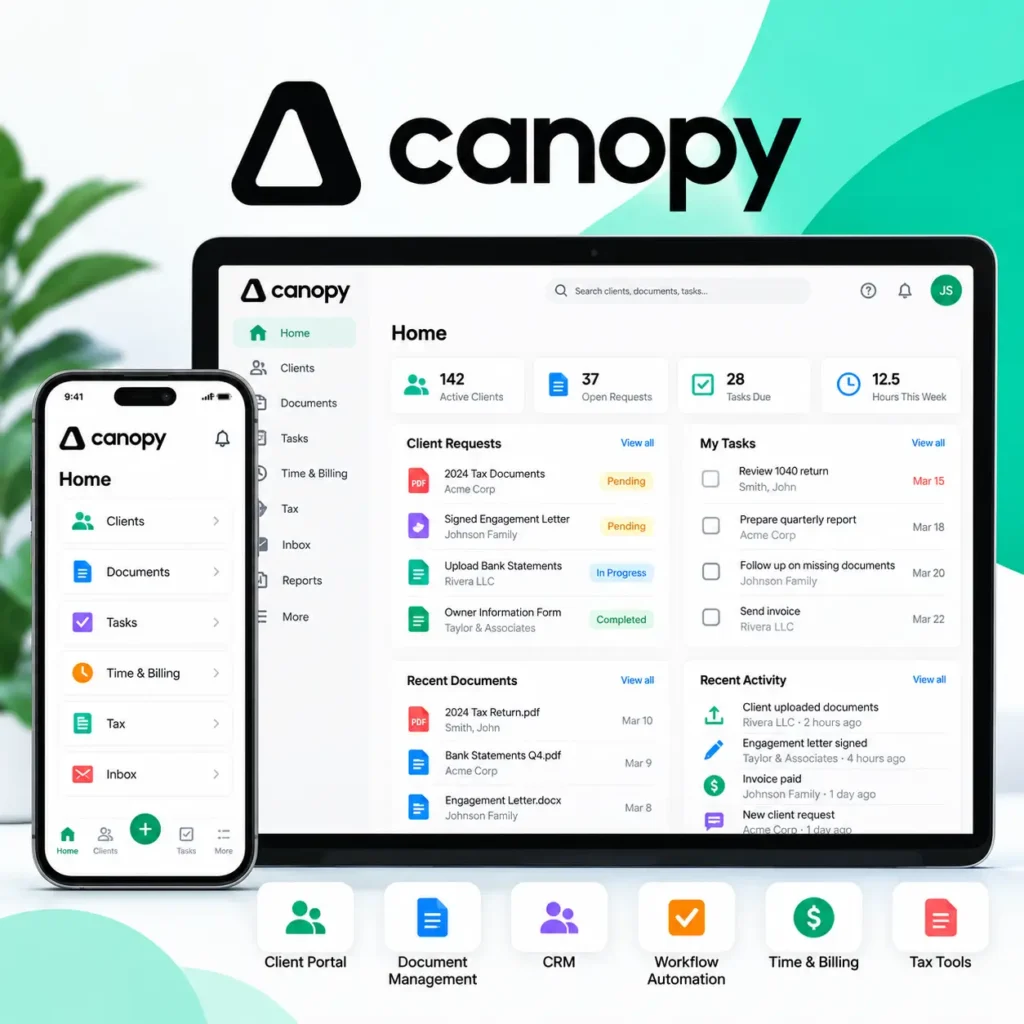
Where Canopy Stands Out
- Client portal: Provide clients with a secure place to communicate and exchange documents.
- Document management: Organize files, collect documents, and manage signatures.
- CRM: Maintain client information and relationships.
- Workflow automation: Coordinate tasks, recurring work, and deadlines.
- Time and billing: Track time, prepare invoices, and collect payments.
- Tax-focused capabilities: Support applicable tax processes and tax resolution requirements.
- Capacity planning: Evaluate workload and resource allocation through applicable plans.
For example, a tax-focused accounting firm may spend considerable time collecting missing client documents, requesting signatures, coordinating return preparation, and following up on payments.
Canopy may help bring more of those activities into one platform.
When Canopy Makes the Most Sense
- You want a client portal connected to your practice management system.
- Document collection and signatures are major operational bottlenecks.
- Your firm handles substantial tax-related work.
- You want client records, billing, documents, and workflow connected.
- You are considering replacing several existing applications.
Where Canopy May Be More Than You Need
Canopy’s broader functionality may be unnecessary for firms that already have satisfactory client portals, document systems, and billing tools.
In that situation, adopting a comprehensive practice management suite may introduce additional implementation work without directly addressing the firm’s primary workflow problem.
The Question Most Comparison Pages Miss
Do you actually need to replace your current software stack? If your billing, documents, email, and client communication tools already work, a focused workflow solution may be a more practical starting point.
Karbon vs Canopy: Feature Comparison
Both platforms support accounting practice management, but their primary strengths and approaches differ.
| Feature | Karbon | Canopy | Jetpack Workflow |
|---|---|---|---|
| Accounting workflow management | Yes | Yes | Yes |
| Recurring task scheduling | Yes | Yes | Core focus |
| Integrated email collaboration | Core strength | Connected email tools | Not a core feature |
| Client portal | Yes | Yes | No native portal |
| Document management | Yes | Yes | Works alongside existing tools |
| CRM and client records | Yes | Yes | Client and work records |
| Billing and payments | Yes | Yes | Use existing billing tools |
| Tax resolution tools | Not a core native focus | Available separately | Not included |
| Team workload visibility | Yes | Plan-dependent | Yes |
| Primary positioning | Collaborative practice management | Accounting and tax practice management | Focused accounting workflow management |
Feature availability varies by subscription plan and may change. Confirm current capabilities directly with each provider before making a purchasing decision.
Already Have a Portal, Billing System, and Document Tools?
You may not need to replace them. Jetpack Workflow helps accounting firms manage recurring work, deadlines, templates, assignments, and team visibility.
Karbon vs Canopy Pricing in 2026
Pricing is an important consideration, particularly for accounting firms adding users as they grow.
Karbon and Canopy both offer per-user subscription plans, but the features included at each tier differ.
| Product / Plan | Listed Price | Billing Structure |
|---|---|---|
| Jetpack Workflow Starter | $40/user/month | Billed annually |
| Jetpack Workflow Premium | $50/user/month | Billed annually |
| Karbon Team | $59/user/month | Paid annually |
| Karbon Business | $89/user/month | Paid annually |
| Canopy Standard | $74/user/month | Annual billing rate |
| Canopy Plus | $109/user/month | Annual billing rate |
| Canopy Premium | $149/user/month | Annual billing rate |
Illustrative US pricing for 2026 based on publicly advertised annual-billing rates. Prices exclude taxes, add-ons, implementation costs, discounts, and other software expenses. Verify current pricing and plan inclusions directly with Karbon, Canopy, and Jetpack Workflow before publishing or purchasing.
What Would a Five-Person Firm Pay?
Using the listed annual-billing rates, here is an illustrative comparison for five paid users.
| Plan | Monthly Equivalent | Annual Cost |
|---|---|---|
| Jetpack Workflow Starter | $200 | $2,400 |
| Jetpack Workflow Premium | $250 | $3,000 |
| Karbon Team | $295 | $3,540 |
| Canopy Standard | $370 | $4,440 |
| Karbon Business | $445 | $5,340 |
| Canopy Plus | $545 | $6,540 |
| Canopy Premium | $745 | $8,940 |
At these rates, a five-person firm would spend approximately $2,040 more annually on Canopy Standard than Jetpack Workflow Starter.
However, this is not a direct feature-for-feature comparison. Karbon and Canopy offer broader functionality that may replace other software subscriptions.
The Cost Question Is Bigger Than the Subscription
When evaluating practice management software, the monthly subscription is only one part of the decision.
Consider the time required to migrate client records, configure workflows, train employees, connect integrations, and change established processes.
If a broader platform replaces several existing applications, that investment may be worthwhile.
But if your firm primarily needs better recurring task management, replacing its entire technology stack may be unnecessary.
The Third Option: Keep Your Stack and Fix the Workflow
This is where Jetpack Workflow enters the comparison.
Jetpack Workflow focuses on recurring accounting and bookkeeping work rather than attempting to replace every client-facing system your firm uses.
Its core capabilities include:
- Recurring projects and tasks
- Due dates and deadline tracking
- Standardized accounting workflow templates
- Team assignments and accountability
- Visibility into work progress and team workload
- Updating recurring processes as firm procedures change
Why Global Workflow Updates Matter
Imagine your bookkeeping firm manages monthly close processes for 80 clients.
Each client has a recurring checklist covering reconciliations, financial reviews, and reporting. When your firm changes one step in that process, manually updating every affected client project can become time-consuming.
Jetpack Workflow’s global workflow update capabilities are designed to help firms apply changes across applicable projects, including future recurring work, without repeatedly editing every project individually.
This is particularly useful for firms managing standardized services across many clients.
Instead of asking, “Which platform has the most features?”, consider asking:
“What is the smallest software change that solves our biggest operational problem?”
Manage Recurring Work Without Replacing Everything Else
Build one of your firm’s real accounting workflows in Jetpack Workflow and see how it handles recurring deadlines, assignments, templates, and work visibility.
Which Platform Fits Your Accounting Firm?
The following scenarios illustrate when each platform may be worth evaluating.
| Firm Scenario | Strongest Fit to Evaluate |
|---|---|
| A growing CPA firm struggling with scattered client emails and team communication | Karbon |
| A tax firm needing client portals, document collection, signatures, and billing | Canopy |
| A bookkeeping firm struggling with monthly recurring tasks and deadlines | Jetpack Workflow |
| A firm planning to consolidate several practice management applications | Karbon or Canopy |
| A firm that likes its existing client-facing tools but needs better workflow visibility | Jetpack Workflow |
How to Choose Without Overbuying Software
Before scheduling demos, document the operational problems your firm needs to solve.
Ask the following questions:
- Are client emails causing missed work or communication problems?
- Are document requests and signatures slowing down tax engagements?
- Are recurring bookkeeping, payroll, or accounting deadlines difficult to manage?
- Do you already have reliable billing and document management systems?
- How many employees need access to the platform?
- How much migration and training will be required?
- Can changes to recurring workflows be applied consistently across client projects?
What to Test During Each Demo
Rather than relying only on feature demonstrations, ask each provider to walk through the same real-world workflow.
For example, create a monthly bookkeeping process for 20 clients. Assign preparers and reviewers, set deadlines, track overdue tasks, and make a change to the standard checklist.
Compare how easily each platform handles recurring scheduling, reassignment, workload visibility, and future workflow updates.
Karbon vs Canopy: Final Verdict
There is no universal winner between Karbon and Canopy because the platforms address different operational priorities.
Karbon is a strong choice when integrated email, collaboration, workflow, and team communication need to work together.
Canopy makes sense when your firm wants accounting practice management with client portals, documents, billing, and tax-focused capabilities.
However, neither platform is automatically the better option simply because it includes more features.
If your firm already has dependable tools for billing, documents, and client communication, but recurring deadlines, inconsistent workflows, and limited team visibility remain problems, Jetpack Workflow provides a more focused alternative.
You can also compare Jetpack directly with Karbon in our Jetpack Workflow vs Karbon comparison or explore Jetpack Workflow pricing.
Solve the Workflow Problem First
See whether Jetpack Workflow can help your firm standardize recurring work, improve deadline visibility, and reduce manual task tracking without replacing the rest of your software stack.
Frequently Asked Questions
What is the main difference between Karbon and Canopy?
Karbon emphasizes integrated email, team collaboration, and connected accounting workflows. Canopy offers broader accounting and tax practice management capabilities, including client portals, document management, billing, and workflow automation.
Is Karbon or Canopy better for small accounting firms?
It depends on the firm’s priorities. Karbon may be better suited to firms that need integrated communication and collaboration, while Canopy may appeal to firms looking for client-facing and tax-focused tools. Firms mainly struggling with recurring deadlines should also consider dedicated workflow software.
Is Canopy cheaper than Karbon?
Based on the listed annual-billing rates used in this comparison, Karbon Team costs $59 per user per month, while Canopy Standard costs $74 per user per month. However, their included features differ, so firms should compare total costs and required functionality rather than subscription prices alone.
Does Karbon have a client portal?
Yes. Karbon offers client collaboration capabilities, including a client portal, client requests, and document sharing. Specific functionality should be checked against the firm’s requirements and subscription plan.
Does Canopy offer recurring workflow automation?
Yes. Canopy supports recurring tasks and workflow automation. Available automation, capacity planning, and related functionality may vary by subscription tier.
What is a simpler alternative to Karbon and Canopy?
Jetpack Workflow is an alternative for accounting and bookkeeping firms that primarily need recurring workflow management, deadline tracking, standardized processes, and team visibility without replacing their existing billing or client portal systems.