1099 Preparation Checklist for Accountants (2027 Filing Season)
Every January, accounting firms run the same 1099 scramble: chasing W-9s, arguing over which vendors count, and racing a deadline that doesn’t move. This checklist turns 1099 season into a repeatable process you can run for every client, starting in November instead of the last week of January.
Below you’ll find the 2027 filing dates, the six-step 1099 workflow we use, the mistakes that cause most corrections, and a free template you can load into Jetpack Workflow for all of your clients at once.
Key 1099 dates for tax year 2026 (filed in 2027)
January 31, 2027 falls on a Sunday, so the January deadlines move to the next business day, Monday, February 1, 2027.
| Filing | Due date |
|---|---|
| Form 1099-NEC to recipients | Monday, February 1, 2027 |
| Form 1099-NEC to the IRS (paper or e-file) | Monday, February 1, 2027 |
| Form 1099-MISC to recipients | Monday, February 1, 2027 |
| Form 1099-MISC to the IRS, paper | Monday, March 1, 2027 |
| Form 1099-MISC to the IRS, e-file | Wednesday, March 31, 2027 |
Start the client outreach in November or early December. The filing itself takes an afternoon; collecting vendor information is what takes weeks.
What changed for 2026 payments
For payments made in 2026, the reporting threshold for Forms 1099-NEC and 1099-MISC rose from $600 to $2,000 under the One Big Beautiful Bill Act. Fewer small vendors will need a form, but you still need the vendor list and W-9s to prove which ones fall under the line. Confirm the current threshold and any state rules for each client before you file.
The 1099 preparation checklist (step by step)
- Request 1099 information from the client. Send a short request in November: a list of everyone they paid for services, rent or other reportable payments, plus any new vendors added this year. Ask early, because the client’s answer is usually the slowest step.
- Run a vendor payment report and identify reportable vendors. Pull total payments by vendor from the client’s books. Flag vendors paid over the threshold, exclude payments made by credit card or third-party networks (those are reported on 1099-K), and remove corporations unless an exception applies, such as attorneys.
- Collect missing W-9s. Every vendor on your list needs a W-9 with a legal name, entity type and TIN. Request missing forms now, not in January, when vendors are slow to respond.
- Send the draft 1099 list to the client for approval. Share the vendor list, amounts and form types. The client confirms totals before anything is filed, which prevents most corrected forms.
- File with the IRS and states by the deadline. E-file through your software or the IRS IRIS portal, and file with states that require their own submission. Most firms with more than a handful of forms are required to e-file.
- Deliver recipient copies and save confirmations. Send copies to vendors by the deadline, save IRS and state acceptance confirmations to the client file, and note any forms still waiting on information.
Annual 1099 Preparation & Filing template · 6 tasks · included free
Skip the setup. This 1099 checklist is already built in Jetpack Workflow.
Load every step below for all of your 1099 clients in one click. Each task gets an owner and a due date, so W-9 requests go out in November and nothing is left for the last week of January.
- Request 1099 information from client
- Run vendor payment report and identify reportable vendors
- Collect missing W-9s
- Send draft 1099 list to client for approval
- File with IRS and states by the January deadline
- Deliver recipient copies by the January deadline and save confirmations
Use this template free Watch full demo
14-day free trial. Includes all 40 accounting workflow templates.
Common 1099 mistakes (and how the checklist prevents them)
- Starting in January. W-9 collection is the bottleneck. Step 3 has its own due date so it happens weeks before filing.
- Reporting card payments. Payments made by credit card or through payment apps are reported by the processor on 1099-K. Step 2 filters them out.
- Filing without client sign-off. Step 4 makes approval a required task, not an email you hope gets answered.
- Losing track of confirmations. Step 6 saves acceptance records to the client file, so you can answer a notice in minutes.
How to run 1099 prep for every client at once
The checklist above works in a spreadsheet for three clients. For thirty, you need to see which clients haven’t sent vendor lists, which W-9s are missing, and who on your team owns each one. In Jetpack Workflow, you load the 1099 template once, apply it to every client that needs it, and each task gets an owner and a due date counted back from February 1. When a client stalls, you see it on the dashboard instead of finding out on January 29.
FAQ
When are 1099s due in 2027?
Forms 1099-NEC are due to recipients and the IRS by Monday, February 1, 2027, because January 31 falls on a Sunday. Form 1099-MISC is due to recipients the same day, with later IRS deadlines for paper and electronic filing.
Do I need a W-9 from every vendor?
Collect one from every vendor you may need to report. The W-9 confirms the legal name, entity type and TIN, which decides whether a 1099 is required at all.
When should firms start 1099 preparation?
Start in November. Request vendor information and W-9s before the holidays so January is spent filing, not chasing.
This is 1 of 40 templates included in Jetpack Workflow
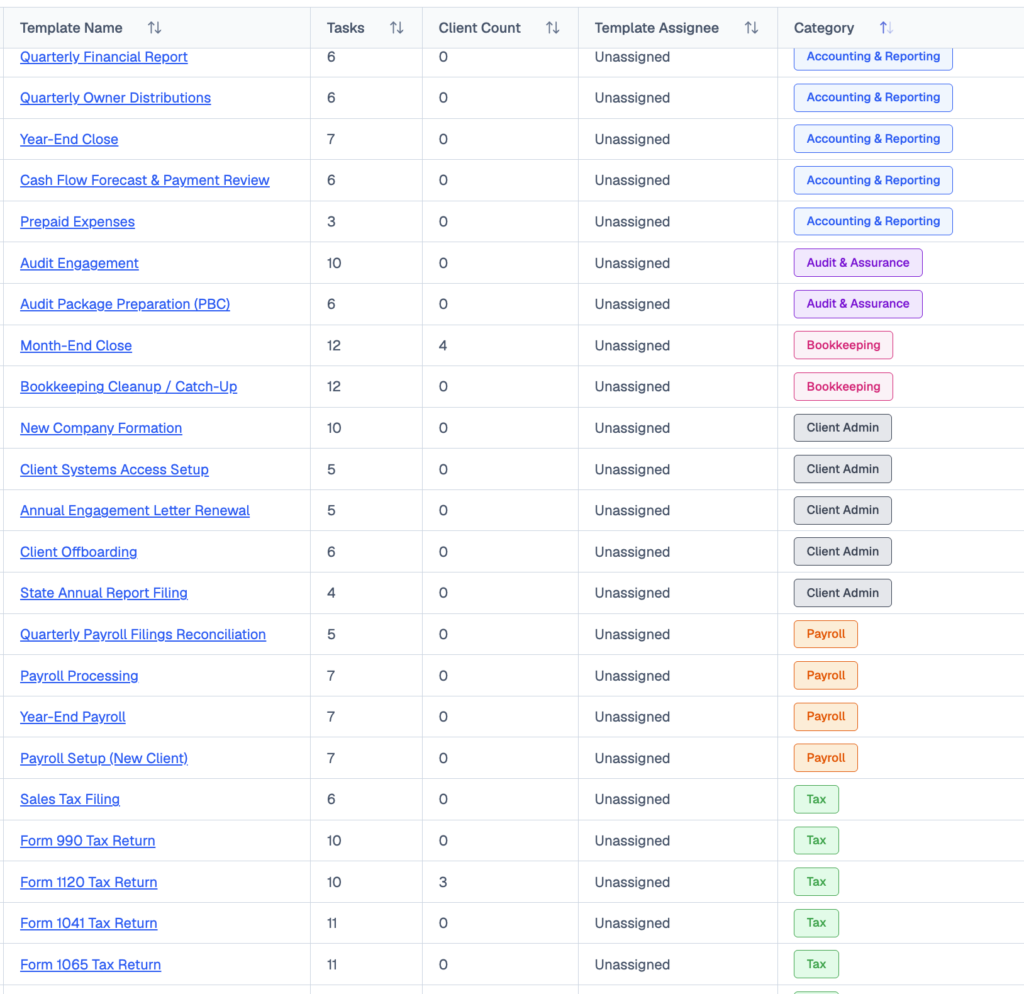
Tax, bookkeeping, payroll, month-end close, audit prep and client onboarding: 291 ready-to-run tasks, available the day you sign up. Templates that pair with your 1099 workflow:
- Year-End Payroll · 7 tasks
- Accounts Payable Review & Payments · 7 tasks
- Year-End Close · 7 tasks
- Tax Planning & Projection · 6 tasks
Share this article