Jetpack Workflow is the workflow and deadline layer for tax firms: every return, extension and estimate tracked by client, preparer and due date, next to the tax software you already use.
Rated 4.8 on Capterra · Trusted by 800+ accounting and tax firms
Busy season breaks spreadsheets
Most tax firms track returns in a spreadsheet, a whiteboard or the status column of their tax software. That works until February:
- You can’t see what’s stuck. Returns waiting on client documents look the same as returns waiting on review.
- Deadlines live in people’s heads. March 15, April 15, extensions and quarterly estimates all land on different clients at once.
- Workload is invisible. One preparer has 40 returns in review while another is waiting for work.
How Jetpack Workflow runs a tax season
A workflow for every return type
Build your 1040, 1065, 1120S and 990 workflows once, from intake to e-file, and apply them to every client who needs them. Start from our 1040 workflow and 1065 workflow templates.
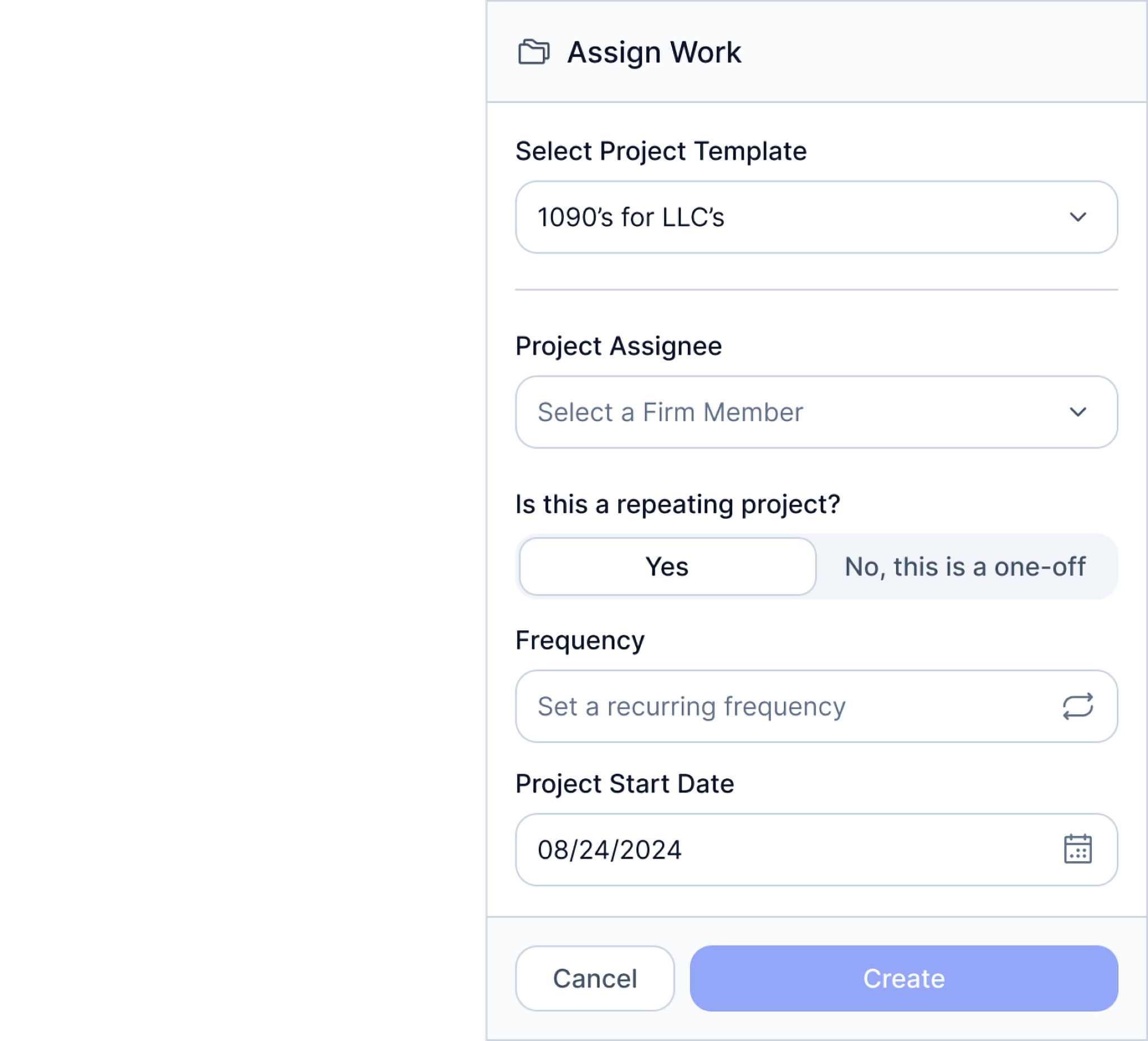
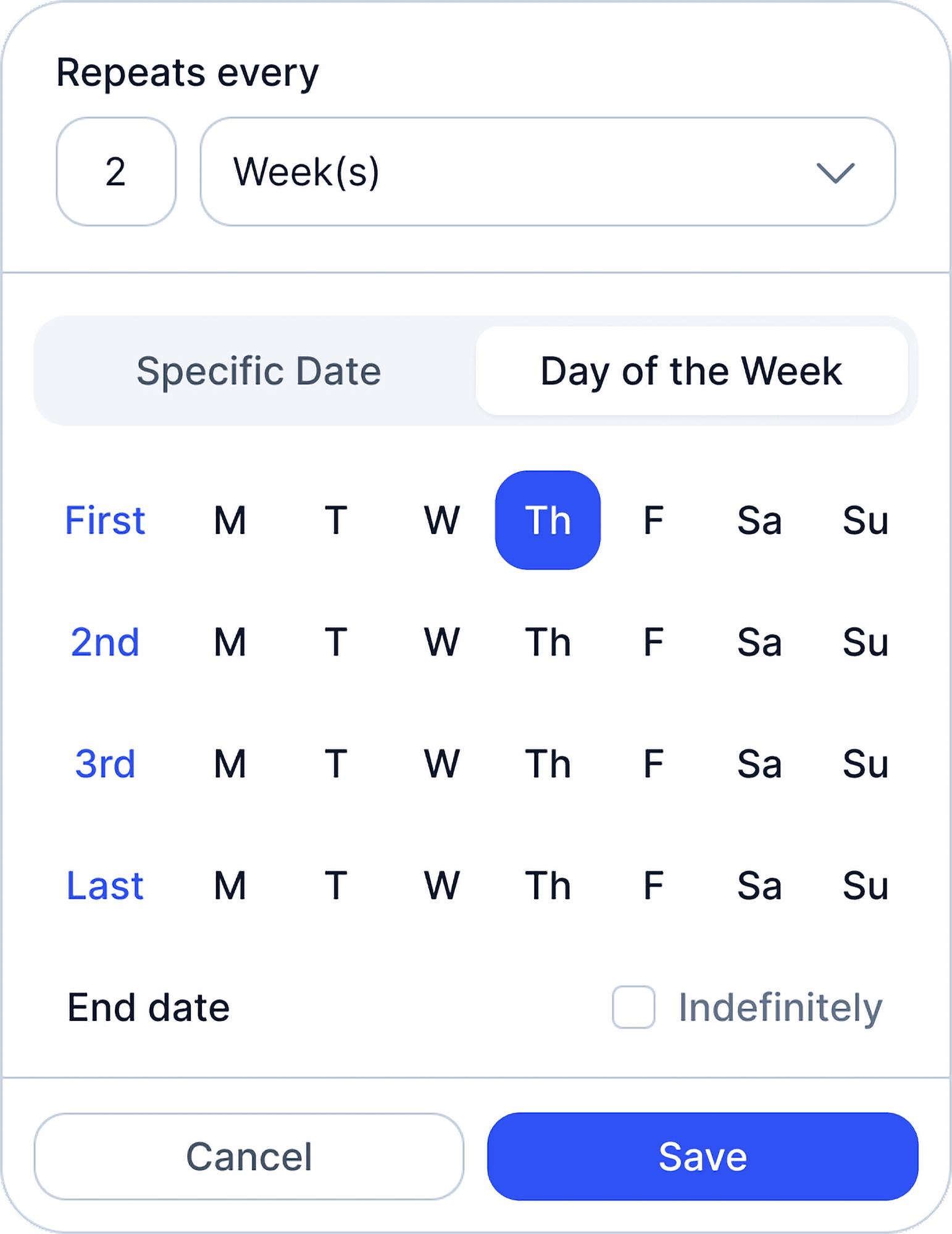
Annual and quarterly work that schedules itself
Set returns to repeat every year and estimates every quarter. Next season’s work is already on the calendar.
Every deadline, by client
See what’s due this week across the firm, what’s overdue and what’s coming. Track extensions with a label or custom field so extended returns don’t disappear until October. See due date tracking →
Know exactly where each return stands
Labels such as waiting on client, in prep and in review show where every return is stuck, and who owns the next step.
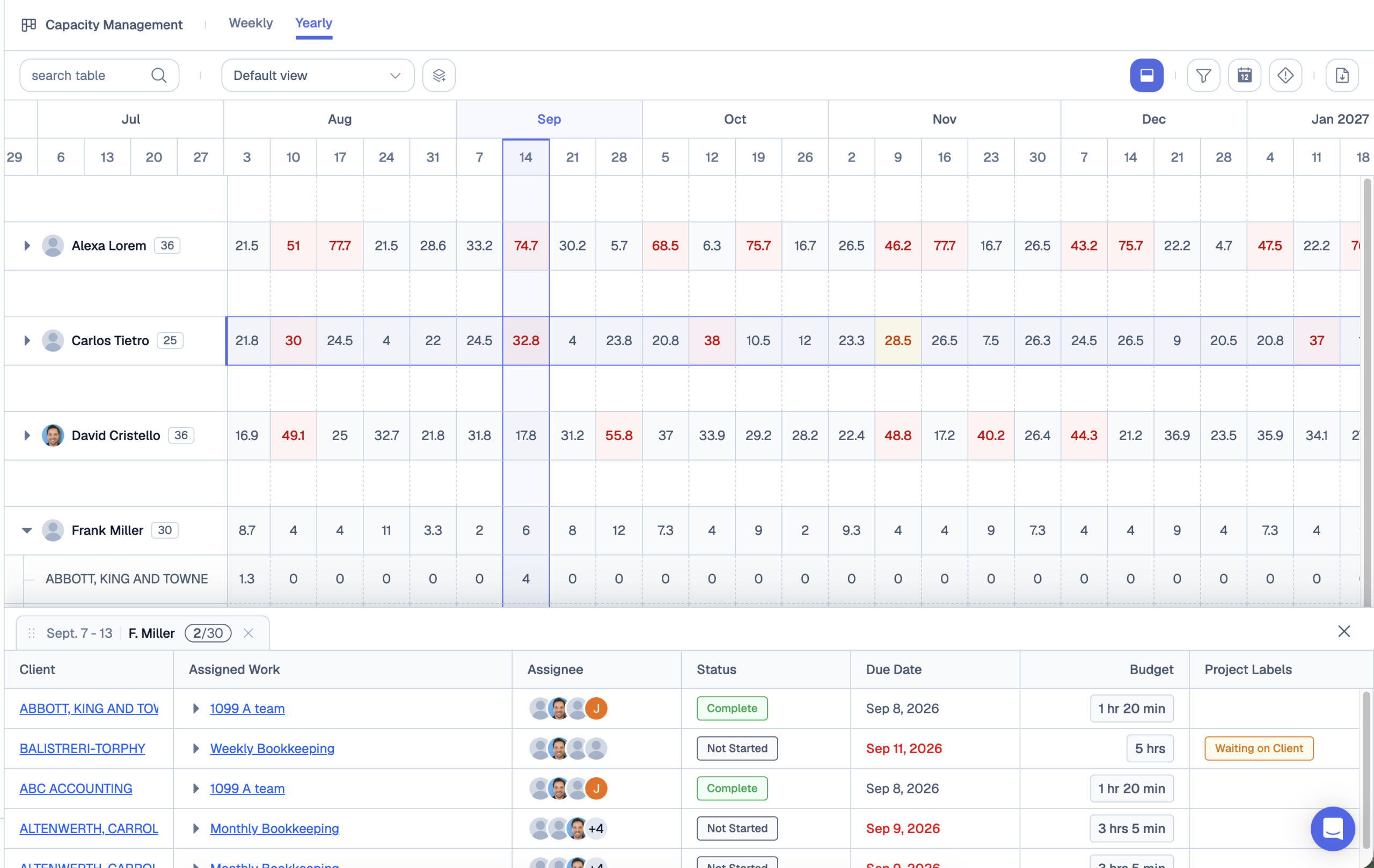
Balance busy season across the team
The capacity view shows each preparer’s hours week by week, so you can move returns before someone drowns. Capacity management is included in the Premium plan.
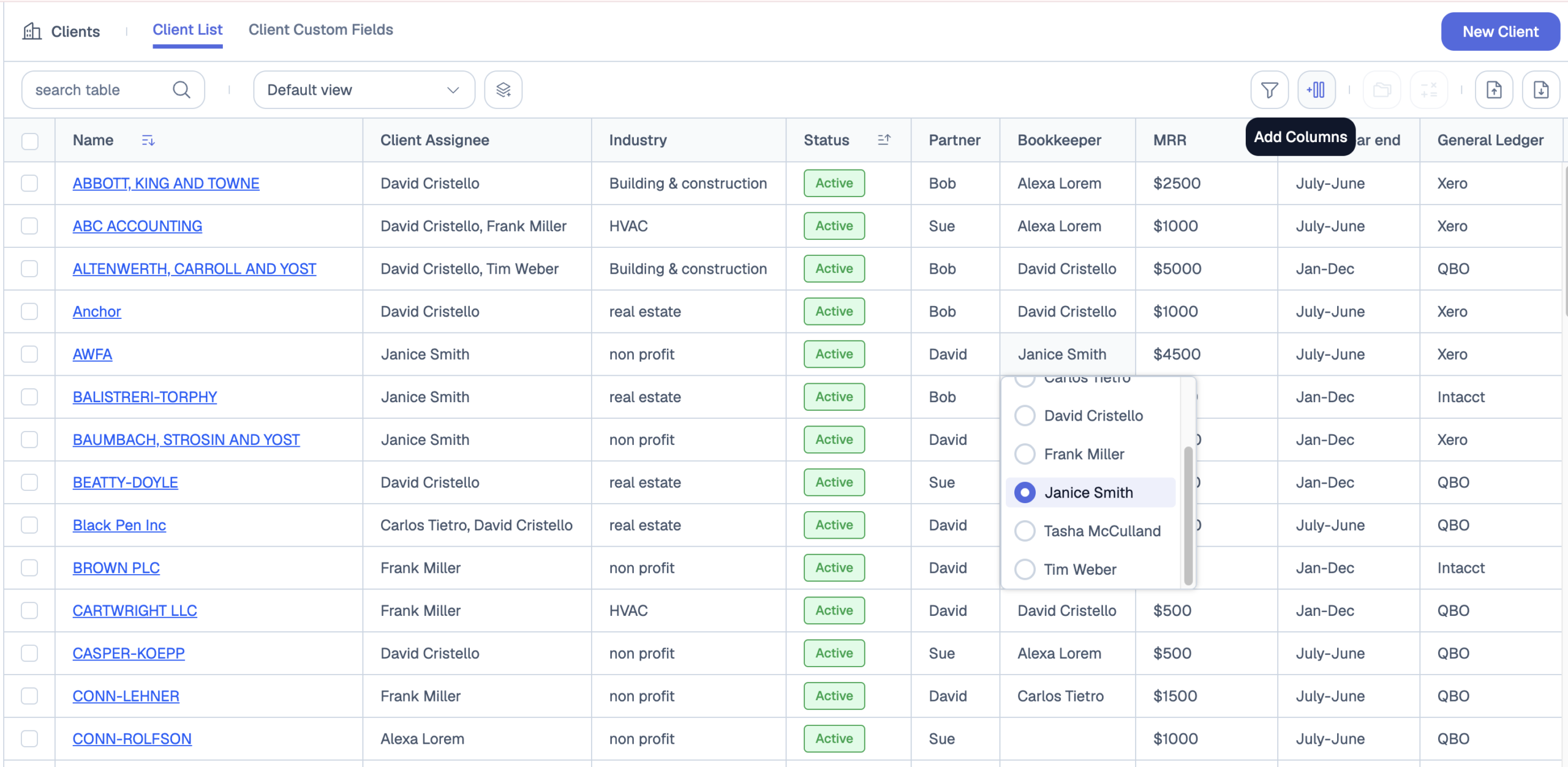
Client details next to the work
Store entity type, filing status, jurisdiction and fiscal year end on each client, and filter your workload by any of them.
One change, every return
When a deadline moves or you add a review step, update the template once and push the change to every open return.

Works with the tax software you already use
Jetpack doesn’t replace CCH Axcess, UltraTax, Lacerte, Drake or ProSeries. It manages the workflow around them: who’s preparing what, what’s waiting on the client, and what’s due next. It connects with QuickBooks Online and with thousands of apps through Zapier.
Tax work firms run in Jetpack Workflow
- Individual returns (1040) and extensions
- Partnership and S corp returns (1065, 1120S)
- Nonprofit returns (990)
- Quarterly estimated payments
- Payroll tax and sales tax filings
- Tax planning and advisory engagements
- New client intake (see questions to ask a new tax client)
Jetpack Workflow vs. all-in-one tax suites
All-in-one suites like TaxDome and Canopy bundle portals, billing, e-signatures and workflow. That suits firms that want to replace several tools at once. Jetpack focuses on workflow, deadlines and capacity, and most firms are running in days.
Compare: Jetpack vs. TaxDome · TaxDome alternatives · CCH Axcess Workflow alternatives · Project management software for accountants
What firms say
“Jetpack Workflow has made managing bookkeeping & client work simple. You set up your account, jump right into it, and nothing falls through the cracks.” — Daniel Lange, Owner, Lange Bookkeeping
“Jetpack saves us at least 2-3 hrs of headaches every week.” — Jordan Tagawa
“Jetpack’s biggest ROI is peace of mind.” — Andi Korb
Pricing
Starter is $49 per seat a month. Premium is $59 per seat a month and adds time tracking, budget vs. actuals reports and capacity management. Every plan starts with a 14-day free trial. See pricing →
Frequently Asked Questions
What is tax workflow software?
Software that tracks every return and tax engagement through its steps (intake, documents, preparation, review, signature, filing), with an owner and a due date at each stage, so the firm can see where every return stands.
Does Jetpack Workflow replace my tax preparation software?
No. You still prepare returns in CCH, UltraTax, Drake or whatever you use today. Jetpack manages the work around them.
Can Jetpack track extensions?
Yes. Mark extended returns with a label or custom field and give them a new due date, so they stay visible until they’re filed.
Is Jetpack a good fit for a solo tax preparer?
Yes. Solo preparers use it to keep every client’s deadlines in one place, and it scales as you add staff.
How long does setup take before tax season?
Most firms are running in days. Start from the 1040 and 1065 templates, import your clients, and set each return’s schedule. Onboarding help is available.
Get ahead of next tax season
Start a free 14-day trial or book a demo to see your own returns in Jetpack Workflow.