Choosing between TaxDome and Canopy can be difficult because both platforms offer many of the same accounting practice management capabilities.
Both help accounting and tax firms manage client relationships, recurring work, document collection, secure communication, billing, and payments.
However, differences in pricing, workflow configuration, tax-related functionality, and team management can make one platform a better fit for your firm.
For a solo tax preparer, the priority may be collecting client documents, obtaining signatures, and delivering completed returns. A growing bookkeeping firm may care more about recurring monthly work, staff assignments, and client communication. A larger CPA practice might need capacity planning, reporting, and better workload visibility.
This TaxDome vs Canopy comparison examines their features, pricing, strengths, and limitations to help you decide which accounting practice management platform fits your needs.
The 30-Second Decision
Choose TaxDome if: You want an all-in-one platform with configurable pipelines, client portals, document management, e-signatures, proposals, and billing.
Choose Canopy if: You need integrated accounting practice management with recurring workflows, client management, document handling, billing, and options for advanced reporting or tax-focused services.
Consider Jetpack Workflow if: Your existing client portal, billing, and document tools work well, but recurring deadlines, workflow standardization, and team accountability remain challenges.
TaxDome vs Canopy: Quick Comparison
TaxDome and Canopy overlap across several important areas. The main differences involve how their features are organized, which capabilities are included in each plan, and how firms implement their workflows.
| Category | TaxDome | Canopy |
|---|---|---|
| Main focus | Integrated firm management and client experience | Integrated accounting and tax practice management |
| CRM and client records | Yes | Yes |
| Client portal and mobile app | Yes | Yes |
| Document management | Yes | Yes |
| E-signatures | Yes | Yes |
| Recurring workflows | Yes | Yes |
| Automated client reminders | Yes | Yes |
| Proposals and engagement letters | Yes | Yes |
| Invoicing and payments | Yes | Yes |
| Time tracking | Yes | Yes |
| Team workload visibility | Yes | Yes, with advanced planning on higher tiers |
| Pricing structure | Annual or multi-year seat commitments | Per-user pricing with annual billing |
Feature availability varies by plan. Confirm specific capabilities and subscription requirements with each provider.
What Is TaxDome?
TaxDome is an accounting practice management platform designed to connect a firm’s internal operations with its clients.
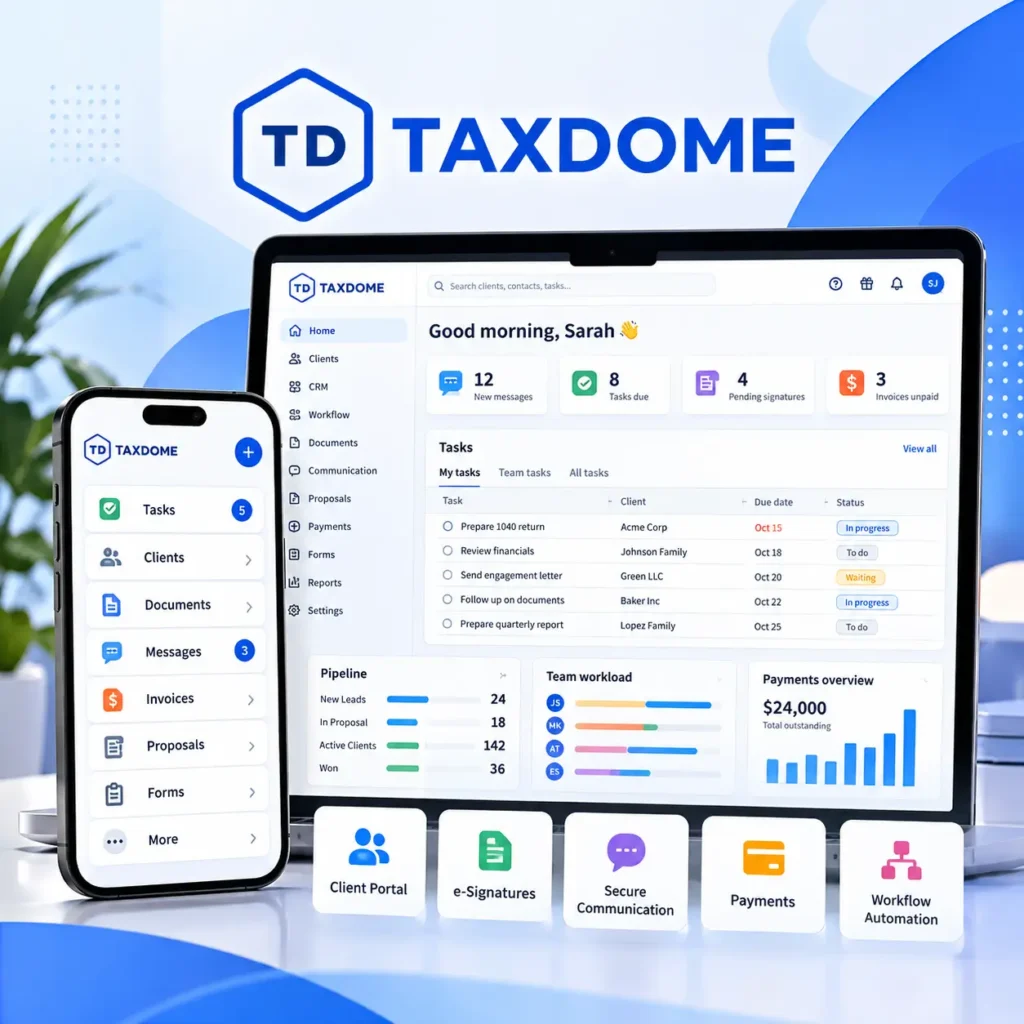
Its central approach is to provide a unified environment where clients can upload documents, communicate with their accountant, sign forms, accept proposals, and pay invoices while staff manage the work behind those interactions.
TaxDome’s Main Features
- Client portal and mobile app: Clients can upload documents, communicate, sign forms, and pay invoices through a dedicated portal.
- Workflow automation: Configure pipelines, jobs, stages, tasks, and automated actions to manage recurring accounting and tax processes.
- Document management: Organize client documents, manage permissions, collect signatures, and deliver completed files.
- CRM and communication: Centralize client information and manage communication through email, secure chat, and SMS.
- Proposals and billing: Prepare engagement letters, offer service packages, create invoices, and collect payments.
- Tax and bookkeeping integrations: Access additional accounting and tax-related capabilities on eligible plans.
For example, a tax preparation firm may use TaxDome to organize work from initial document collection through preparation, review, client signatures, and final delivery.
When TaxDome Makes Sense
- You want clients to use one portal for documents, signatures, communication, and payments.
- Your firm needs configurable pipelines for tax preparation and accounting services.
- You want to consolidate several operational tools.
- You need client-facing automation connected to internal workflows.
- You want proposals, billing, and client management within the same platform.
Potential Considerations
TaxDome offers broad functionality, but implementation may involve configuring pipelines, importing client information, organizing documents, and training employees.
Its main subscriptions also require annual or multi-year commitments. Firms should consider the total upfront cost and the time required to configure the system.
What Is Canopy?
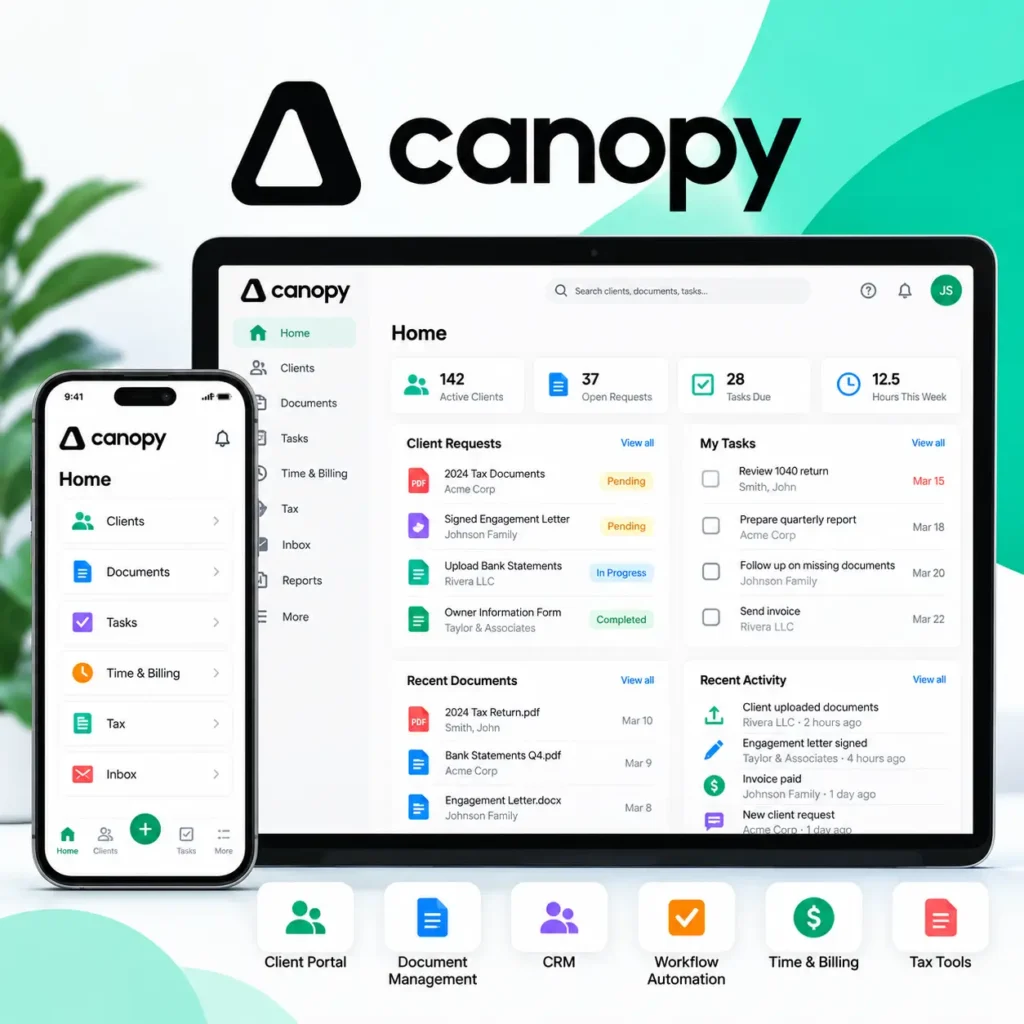
Canopy is an accounting practice management platform offering client management, workflow automation, document management, billing, payments, and client-facing tools.
Canopy connects these functions around shared client records so firms can coordinate work without repeatedly entering the same information into disconnected applications.
Canopy’s Main Features
- CRM and client management: Maintain centralized client records, contact information, and related practice details.
- Document management: Organize files, share documents, collect information, and manage e-signatures.
- Client portal: Give clients a secure environment for messaging, document exchange, and other interactions.
- Workflow automation: Manage automated and recurring tasks, assignments, and deadlines.
- Time and billing: Connect time tracking, invoicing, and payment collection with practice management.
- Capacity planning: Access forecasting, advanced task views, and custom reporting through applicable plans.
- Tax-related capabilities: Access dedicated tax-focused services and tools depending on the subscription.
For example, a growing CPA firm may need to coordinate monthly bookkeeping, tax engagements, document requests, employee assignments, and billing across a shared client database.
Canopy may help connect those activities in one platform.
When Canopy Makes Sense
- You want client records, documents, workflows, and billing connected.
- Your firm needs recurring task management and automation.
- You want options for capacity planning and advanced reporting.
- Your firm handles tax-related services that require dedicated functionality.
- You are considering consolidating several practice management tools.
Potential Considerations
Not every Canopy capability is included in its entry-level plan. Advanced planning, reporting, and specialized tax services may require higher tiers or additional subscriptions.
Firms should compare the plans that include their required functionality rather than relying only on the lowest advertised price.
The Question Most Comparison Pages Miss
Does your firm need to replace its entire software stack? If your existing client portal, billing, and document tools already work, improving recurring workflow management may be a more practical starting point.
TaxDome vs Canopy Pricing in 2026
Pricing is one of the clearest differences between TaxDome and Canopy.
TaxDome uses seat-based annual or multi-year subscriptions for its main plans. Canopy publishes monthly-equivalent per-user prices with annual billing.
| Platform / Plan | Advertised Price | Billing Structure |
|---|---|---|
| TaxDome Essentials | $800/year per seat | Annual, solo only |
| TaxDome Pro | $1,000/year per seat | Annual |
| TaxDome Business | $1,200/year per seat | Annual |
| Canopy Standard | $74/user/month | Billed annually |
| Canopy Plus | $109/user/month | Billed annually |
| Canopy Premium | $149/user/month | Listed as coming soon |
Illustrative publicly advertised US prices for October 2026. Prices and plan availability may change. Verify the latest details on TaxDome’s pricing page and Canopy’s pricing page before publishing or purchasing.
How TaxDome Pricing Works
TaxDome Essentials is designed for solo practitioners. Firms with multiple employees generally need Pro or Business seats.
TaxDome also offers longer subscription commitments with lower annualized rates. However, multi-year subscriptions are billed upfront.
Firms should consider employee headcount, temporary staffing needs, and which features require higher plans.
How Canopy Pricing Works
Canopy Standard includes its main practice management foundation, including CRM, document management, client portal, recurring workflows, invoicing, and payments.
Canopy Plus adds advanced task views, capacity planning, forecasting, and custom reporting.
Canopy also advertises separately priced tax resolution, tax workflow automation, and close automation offerings.
These additional capabilities can affect the total cost depending on your firm’s service requirements.
What Would a Five-Person Accounting Firm Pay?
The following example compares five paid users under the advertised one-year TaxDome rates and Canopy’s annual-billing prices.
| Plan | Monthly Equivalent | Annual Cost |
|---|---|---|
| TaxDome Pro | $416.67 | $5,000 |
| TaxDome Business | $500 | $6,000 |
| Canopy Standard | $370 | $4,440 |
| Canopy Plus | $545 | $6,540 |
Under these assumptions, Canopy Standard costs approximately $560 less annually than TaxDome Pro for five users.
However, Canopy Plus costs approximately $1,540 more annually than TaxDome Pro.
This is not a direct feature-for-feature comparison. The total value depends on which capabilities your firm needs and whether either platform replaces other subscriptions.
Already Have a Client Portal and Billing System?
You may not need another all-in-one platform. Jetpack Workflow helps accounting firms standardize recurring work, manage deadlines, and improve team visibility.
TaxDome vs Canopy: Workflow Automation
Both TaxDome and Canopy support recurring accounting workflows, task assignments, deadlines, and automation.
The important distinction is how those workflows are configured and connected to the rest of the platform.
How TaxDome Handles Workflows
TaxDome uses a pipeline-based workflow system.
Firms can organize jobs into stages and configure automated actions as work progresses. These may include client requests, reminders, task creation, and other workflow activities.
For example, a tax preparation pipeline might move through document collection, preparation, review, signature, and delivery.
At relevant stages, TaxDome can trigger configured actions to help staff coordinate client-facing and internal work.
How Canopy Handles Workflows
Canopy connects recurring tasks, assignments, client records, and other practice management functions.
Its Standard plan includes automated and recurring task workflows.
The Plus tier adds advanced task views, capacity planning, forecasting, and custom reporting.
These capabilities may be useful for firms where managers need to understand both upcoming deadlines and available staff capacity.
Which Has Better Workflow Automation?
Neither platform is automatically better.
TaxDome may suit firms that want configurable pipeline stages and automated client-facing actions.
Canopy may appeal to firms seeking recurring workflows connected to broader operational reporting and capacity planning.
Before choosing, test the same accounting process in both systems. Create a recurring monthly close workflow, assign preparers and reviewers, configure client requests, and update the procedure for future work.
The platform that handles your firm’s actual process with less administrative effort is likely to be the more useful choice.
TaxDome vs Canopy: Client Portal and Document Management
Both platforms provide client portals, document management, and e-signatures.
TaxDome places substantial emphasis on its unified client experience. Clients can use its portal and mobile app to upload documents, communicate, sign forms, and pay invoices.
Canopy also offers a dedicated client portal and mobile application, with secure messaging, document exchange, and e-signature functionality.
For firms comparing these features, the decision should focus on the actual client experience rather than simply whether a portal exists.
Consider testing how easily clients can upload multiple documents, respond to requests, sign an engagement letter, and find a previous tax return.
A system that is straightforward for staff but confusing for clients may create additional follow-up work.
TaxDome vs Canopy for Tax Preparation and Tax Resolution
Tax preparation workflows and tax resolution services have different operational requirements.
TaxDome supports tax preparation processes through organizers, document collection, automated pipelines, e-signatures, and return delivery.
Its eligible plans also include IRS transcript integrations.
Canopy offers tax workflow automation and a dedicated Tax Resolution offering with IRS transcript retrieval, notice tracking, and form automation.
A firm handling large volumes of tax returns should evaluate intake, preparation handoffs, reviews, signatures, and delivery.
A firm specializing in IRS notices, installment agreements, or other tax resolution matters should evaluate dedicated resolution functionality and associated costs.
Neither platform should be selected for tax work solely because it advertises tax-related features. The specific service requirements matter.
TaxDome vs Canopy: Which Fits Your Accounting Firm?
The following scenarios illustrate when each platform may be worth evaluating.
| Firm Scenario | Platform Worth Evaluating |
|---|---|
| Solo tax preparer seeking integrated client portal and practice management | TaxDome Essentials |
| Tax firm needing configurable pipelines, organizers, and client communication | TaxDome |
| Accounting firm prioritizing integrated workflow, billing, documents, and CRM | TaxDome or Canopy |
| Growing firm needing capacity planning and custom reporting | Canopy Plus |
| Tax resolution practice requiring specialized IRS notices and resolution tools | Canopy Tax Resolution |
| Firm satisfied with its client portal and billing systems but struggling with recurring deadlines | Jetpack Workflow |
These recommendations are based on published product capabilities and positioning. They are not substitutes for evaluating the platforms using your firm’s actual processes.
A Third Option: Do You Need Another All-in-One Platform?
TaxDome and Canopy both offer broad practice management functionality.
But not every accounting firm needs a new client portal, document management system, billing platform, or CRM.
Some firms already have those systems working well.
Their biggest challenges are more operational:
- Monthly bookkeeping deadlines are difficult to track.
- Recurring tasks require manual updates.
- Managers cannot easily see who is responsible for unfinished work.
- Standard procedures are inconsistent across clients.
- Changes to workflows must be repeated across multiple projects.
These are the problems that Jetpack Workflow is designed to address.
Where Jetpack Workflow Fits
Jetpack Workflow focuses on recurring accounting and bookkeeping work, including project templates, task assignments, deadlines, and workflow standardization.
Its global workflow update capabilities help firms apply changes across applicable projects and future recurring work.
For example, a bookkeeping firm managing monthly reconciliations for 60 clients may need to change its standard review process.
Instead of updating each recurring project manually, the firm can use Jetpack Workflow’s change management capabilities to apply updates across relevant work.
This approach may be attractive when the firm already has dependable systems for document storage, client communication, and billing.
Jetpack Workflow Pricing
Jetpack Workflow offers two main plans for accounting firms.
| Plan | Monthly Equivalent | Annual Cost Per User |
|---|---|---|
| Starter | $40/month | $480 |
| Premium | $50/month | $600 |
Starter includes recurring work management, templates, collaboration, and change management. Premium adds capabilities such as time tracking, budget-versus-actual reporting, and capacity management.
See the latest details on the Jetpack Workflow pricing page.
Manage Recurring Work Without Replacing Everything Else
Build one of your firm’s real accounting workflows in Jetpack Workflow and see how it handles recurring deadlines, assignments, templates, and work visibility.
Five Questions to Ask Before Choosing TaxDome or Canopy
Before purchasing either platform, ask the vendor to demonstrate the processes your firm handles most frequently.
- How are recurring jobs created and updated? Test whether changes to standard procedures can be applied to future work without unnecessary manual editing.
- What does the client experience look like? Have someone unfamiliar with the platform complete a document request, sign an engagement letter, and pay an invoice.
- Which features require higher plans or add-ons? Request an itemized quote based on the exact number of users and services your firm needs.
- What happens when your firm grows? Evaluate permissions, capacity planning, temporary users, and additional subscription costs.
- What is involved in implementation? Ask about client imports, document migration, training, integrations, and ongoing support.
The best evaluation is a demonstration of your firm’s actual workflows, not simply a presentation of the vendor’s most impressive features.
TaxDome vs Canopy: Final Verdict
There is no universal winner between TaxDome and Canopy because the best choice depends on your firm’s operational priorities.
Choose TaxDome if you want integrated practice management with client portals, document management, communication, configurable pipelines, proposals, and billing. Its Essentials tier is particularly relevant to solo practitioners, while Pro and Business support teams.
Choose Canopy if you want accounting practice management with recurring workflows, CRM, client documents, billing, and options for advanced capacity planning, reporting, and tax-specific services.
Consider Jetpack Workflow if your firm already has dependable client-facing software but needs better recurring work management, deadline tracking, standardized processes, and accountability.
For a firm replacing several disconnected applications, TaxDome or Canopy may provide meaningful value through consolidation.
For a firm primarily trying to prevent missed deadlines and reduce manual workflow administration, a focused solution may be the more practical investment.
You can also explore our Jetpack Workflow vs TaxDome comparison, Karbon vs Canopy comparison, or how Jetpack Workflow works.
Solve the Workflow Problem First
See whether Jetpack Workflow can help your accounting firm standardize recurring work, improve deadline visibility, and reduce manual task tracking without replacing your existing software stack.
Frequently Asked Questions
What is the main difference between TaxDome and Canopy?
Both are broad accounting practice management platforms. TaxDome emphasizes configurable workflows and an integrated client experience, while Canopy combines workflow, CRM, documents, billing, and options for advanced operational planning and tax-focused services.
Is TaxDome cheaper than Canopy?
It depends on the plan and number of users. TaxDome Essentials costs $800 per year for a solo user. TaxDome Pro costs $1,000 per seat annually, while Canopy Standard costs $74 per user per month billed annually, equivalent to $888 per user per year. Included features and commitment terms differ.
Does Canopy offer workflow automation?
Yes. Canopy Standard includes automated and recurring task workflows. Higher tiers provide additional planning, reporting, and workflow capabilities.
Does TaxDome include a client portal?
Yes. TaxDome includes a client portal and mobile app for secure document sharing, communication, signatures, and payments.
Which is better for bookkeeping firms, TaxDome or Canopy?
Both support bookkeeping firms. TaxDome offers bookkeeping-oriented capabilities, including general ledger connections on eligible plans. Canopy provides recurring workflows, client management, and close automation options. The better fit depends on the firm’s specific needs.
What is an alternative to TaxDome and Canopy?
Jetpack Workflow is an alternative for accounting and bookkeeping firms that primarily need recurring task management, standardized processes, deadline visibility, and team accountability without replacing their existing client portal or billing tools.