Bookkeeping Checklist Template: Daily to Year-End Tasks

Bookkeeping work happens on several schedules at once. Transactions may need attention daily, client questions require weekly follow-up, accounts must be reconciled monthly, and year-end introduces another set of deadlines. A single list rarely manages all of that well. This bookkeeping checklist template helps accounting firms organize recurring work into the right daily, weekly, monthly, quarterly, and annual cycles. It also connects the separate onboarding and cleanup processes that occur outside the normal recurring schedule. Use this page as the central checklist hub for your firm. Then open the detailed checklist for each frequency when you are ready to build the individual tasks.
Free Bookkeeping Checklist Template
A complete bookkeeping checklist should do more than list accounting tasks. It should help your firm decide:
- Which tasks belong in each service cycle
- How often each task should occur
- Which team member owns the work
- What information must come from the client
- When review and approval are required
- How onboarding and cleanup connect to recurring bookkeeping
Jetpack Workflow provides 32 free accounting workflow templates covering bookkeeping, client onboarding, payroll, tax engagements, audits, and other recurring services.
Download 32 Free Accounting Workflow Templates and start with a proven structure and adapt it to your firm’s services, clients, team, and deadlines.
Key Takeaways
- A master bookkeeping checklist should connect several smaller checklists rather than combine every task into one long document.
- Daily and weekly checklists keep records current, while monthly and quarterly checklists focus on reconciliation, review, and reporting.
- Onboarding and cleanup are event-based projects that should remain separate from recurring bookkeeping.
- The same checklist should not be applied to every client without considering scope, transaction volume, systems, and reporting needs.
- Quality-control tasks should be visible and separate from the tasks used to prepare the work.
- As the number of clients and team members grows, firms may need more than a spreadsheet to manage ownership, deadlines, and status.
What Is a Bookkeeping Checklist?
A bookkeeping checklist is an organized record of the tasks required to maintain accurate financial information for a business or client. It can cover transaction processing, document collection, accounts receivable, accounts payable, reconciliations, payroll review, adjusting entries, financial reporting, quality control, and client communication. However, the most useful bookkeeping checklists are not simply long collections of tasks. They organize work according to when and why it occurs. For example:
- Daily tasks keep current financial activity recorded.
- Weekly tasks prevent unresolved items from accumulating.
- Monthly tasks close the accounting period and prepare reports.
- Quarterly tasks provide a broader financial and compliance review.
- Annual tasks prepare the books for year-end reporting and tax work.
- Onboarding tasks establish a new client and recurring service.
- Cleanup tasks correct historical bookkeeping problems.
This structure makes it easier to find, assign, and update the right tasks without creating one checklist that becomes too long to use.
Choose the Right Bookkeeping Checklist
Use this table to select the checklist that matches the work your firm needs to organize.
| Checklist | Use It To | Best Fit | Detailed Guide |
|---|---|---|---|
| Daily | Keep high-volume financial activity and document collection current. | Clients with frequent transactions or cash activity | Daily checklist |
| Weekly | Prevent transactions, invoices, and client questions from accumulating. | Most recurring bookkeeping engagements | Weekly checklist |
| Monthly | Reconcile accounts, review balances, close the period, and deliver reports. | Clients receiving monthly financial reporting | Monthly checklist |
| Quarterly | Review trends, liabilities, estimates, and unresolved accounting issues. | Quarterly reporting and review engagements | Quarterly overview |
| Year-End | Verify annual records and prepare financial information for tax work. | All annual bookkeeping engagements | Year-end checklist |
| Onboarding | Move a signed client into an organized recurring service. | Every new bookkeeping client | Onboarding checklist |
| Cleanup | Correct historical problems before recurring bookkeeping begins. | Clients with incomplete or inaccurate books | Cleanup checklist |
On mobile, swipe the table sideways to view all columns.
How the Bookkeeping Checklists Work Together
The checklist categories should not operate as isolated documents. Together, they form a complete bookkeeping system. The relationship generally looks like this:
- Onboarding establishes the engagement. The firm confirms the scope, collects records, establishes system access, assigns the team, and creates the recurring schedule.
- Cleanup creates an accurate starting point when needed. Historical problems are identified and corrected before normal recurring work continues.
- Daily and weekly checklists maintain current records. Transactions, documents, invoices, and client questions are handled before they accumulate.
- The monthly checklist closes the period. Accounts are reconciled, balances are reviewed, adjustments are recorded, and reports are prepared.
- Quarterly reviews provide broader oversight. The firm examines financial trends, unresolved balances, liabilities, and process problems.
- The year-end checklist prepares the final annual records. Accounts, schedules, payroll records, vendor information, and reports are reviewed before tax work begins.
This structure gives the firm one operating model without forcing every task into the same checklist.
The Core Bookkeeping Checklist
Although the timing changes, most bookkeeping services are built around the same core areas. Your master checklist should confirm that each applicable area is covered somewhere in the firm’s daily, weekly, monthly, quarterly, or annual process.
| Bookkeeping Area | What the Checklist Should Control | Typical Cycle |
|---|---|---|
| Transactions | Recording, importing, categorization, support, and unusual-item review | Daily or weekly |
| Client documents | Requests, secure collection, missing information, follow-up, and escalation | Weekly and monthly |
| Receivables | Invoices, payments, credits, aging, unapplied receipts, and follow-up | Weekly and monthly |
| Payables | Bills, approvals, credits, payments, due dates, and duplicate review | Weekly and monthly |
| Reconciliations | Statements, ending balances, differences, outstanding items, and review | Monthly |
| Payroll | Payroll reports, journal entries, liabilities, deductions, and clearing accounts | Each payroll and monthly |
| Balance sheet | Loans, fixed assets, prepayments, accruals, clearing accounts, and unusual balances | Monthly and quarterly |
| Financial reporting | Adjustments, review, approval, delivery, questions, and follow-up actions | Monthly, quarterly, or annual |
On mobile, swipe the table sideways to view all columns.
Daily, Weekly, and Monthly Bookkeeping Checklists
These three checklists manage different stages of the same recurring cycle. Keeping them separate reduces duplication and makes each list easier for the team to follow.
Daily Bookkeeping Checklist
Daily tasks are most appropriate for clients with high transaction volumes, active cash handling, frequent customer payments, or time-sensitive financial requirements. The daily checklist typically focuses on:
- New financial activity
- Transaction entry or import
- Initial categorization
- Customer payments and deposits
- New bills and supporting documents
- Items requiring immediate clarification
The detailed daily bookkeeping checklist explains the individual tasks and when firms may need to complete them.
Weekly Bookkeeping Checklist
Weekly work provides a control point between daily transaction activity and the monthly close. It typically covers:
- Transaction coding review
- Accounts receivable and accounts payable
- Supporting-document collection
- Payroll activity
- Outstanding client requests
- Upcoming deadlines
- Items that could delay the monthly close
Use the weekly bookkeeping checklist to build the detailed weekly process.
Monthly Bookkeeping Checklist
The monthly checklist should bring the accounting period to a controlled close. It normally organizes:
- Final document collection
- Completion of transaction coding
- Bank and credit card reconciliations
- Receivable and payable review
- Payroll and liability review
- Balance sheet analysis
- Adjusting entries
- Financial-statement review
- Quality control
- Client report delivery
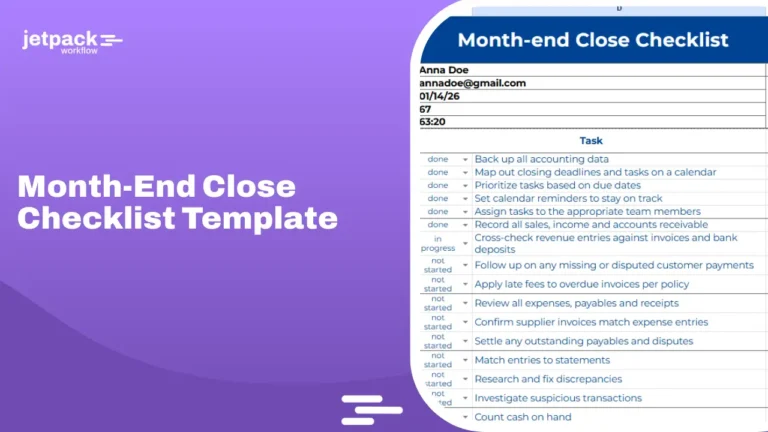
Review the complete monthly bookkeeping checklist or the more detailed month-end close checklist template when designing this stage.
Quarterly Bookkeeping Checklist
The quarterly checklist provides a wider view than the monthly close. It should help the firm identify patterns or unresolved issues that may be difficult to see in one accounting period. A quarterly review may cover:
- Year-to-date financial statements and material changes
- Long-standing receivable and payable balances
- Payroll reports and unresolved liabilities
- Sales tax and other applicable recorded obligations
- Loan balances and financing activity
- Fixed asset additions and disposals
- Estimated tax information requested by the client or tax professional
- Recurring client delays or missing-document problems
- Adjustments needed to the client’s recurring bookkeeping process
Only include services covered by the engagement. The checklist should not assign filing, tax, or advisory responsibilities that the firm has not agreed to provide.
Year-End Bookkeeping Checklist
The year-end checklist confirms that annual records are ready for reporting and tax preparation. It should connect the final monthly close with annual tasks such as:
- Completing outstanding account reconciliations
- Reviewing old receivable and payable balances
- Comparing payroll reports with the general ledger
- Reviewing vendor and contractor information
- Reviewing inventory and fixed asset records
- Confirming loan and liability balances
- Investigating unusual financial-statement balances
- Preparing supporting schedules and final records for tax work
The dedicated year-end bookkeeping checklist provides the complete year-end process.
Event-Based Bookkeeping Checklists
Not every bookkeeping task belongs to a calendar frequency. Some checklists are triggered by a specific event. The two most important are client onboarding and bookkeeping cleanup.
Client Onboarding
Onboarding begins after the engagement is approved and ends when the client is ready for recurring service. Its purpose is to:
- Confirm the service scope
- Collect business information and documents securely
- Establish system access
- Review the existing books
- Assign team responsibilities
- Set communication expectations
- Create the correct recurring checklists
Use the bookkeeping client onboarding checklist for the complete process.
Bookkeeping Cleanup
Cleanup is required when historical books are incomplete, inaccurate, unreconciled, or unsuitable for recurring bookkeeping. Its purpose is to identify and correct the starting records before the recurring checklists take over. Use the bookkeeping cleanup checklist to scope and organize this work separately.
How to Adapt the Checklist for Different Clients
A master checklist should provide consistency without forcing every client into the same process. Use the following factors when deciding which tasks and frequencies apply.
Service Scope
Begin with the signed engagement. A client receiving transaction coding and monthly reconciliation will need a different checklist from one receiving accounts payable, payroll support, management reporting, and advisory services. Do not include tasks that are outside the agreed scope.
Transaction Volume
High-volume clients may require daily or multiple weekly reviews. Lower-volume clients may only need a weekly processing cycle. Set the frequency according to operational need rather than applying the same schedule to every client.
Business Model
A professional service firm, retailer, nonprofit, construction company, and ecommerce business can have very different bookkeeping requirements. The master checklist may need optional modules for inventory, restricted funds, projects, locations, merchant processors, retainers, or job costing.
Client Responsibilities
Document which records, approvals, and explanations must come from the client. Add deadlines and follow-up procedures so client dependencies remain visible.
Reporting Schedule
Work backward from the agreed report-delivery date. Set internal preparation and review deadlines early enough to allow for missing information and corrections.
Review Level
Complex or higher-risk clients may require additional review stages. Document who prepares, reviews, approves, and releases the final work.
Add a Quality-Control Layer
Quality control should not be hidden inside preparation tasks. Create separate review points for the areas most likely to affect the accuracy of the financial records. A checklist-level quality review can confirm that:
- Required accounts were reconciled
- Unusual balances were investigated
- Supporting records were collected
- Client questions were resolved or documented
- Adjusting entries were approved
- Financial reports were reviewed before delivery
- Outstanding issues were converted into follow-up tasks
Separating preparation and review makes it easier to see whether work is merely entered or actually ready for the client.
When a Static Checklist Is No Longer Enough
A document or spreadsheet can be effective when one person manages a small number of clients. It becomes harder to maintain when:
- Several people work on the same client
- The firm manages many recurring deadlines
- Tasks move between preparers and reviewers
- Client delays need to be tracked
- Firm owners need status across all engagements
- Checklist changes must be applied to future client projects
- Managers need to understand team workload
At that point, the problem is no longer documenting the tasks. It is managing the work created by those tasks. Review the bookkeeping workflow template to learn how to add ownership, sequencing, deadlines, dependencies, and review requirements to your checklists.
How to Maintain the Master Checklist
A checklist can become outdated even when the underlying bookkeeping service stays the same. Review the master checklist when:
- The firm changes accounting, payroll, document, or payment systems
- A service is added or removed
- Responsibilities move between team members
- The review process changes
- Repeated errors reveal a missing control
- Client delays repeatedly affect the same task
- The firm changes its standard reporting timeline
Assign one person to approve changes to the master checklist. This prevents team members from creating competing versions of the same process. When an improvement is approved, update the master version first and then apply it to the appropriate future client work.
Frequently Asked Questions
What types of bookkeeping checklists does a firm need?
Most firms need separate daily or weekly processing checklists, a monthly close checklist, a quarterly review checklist, and a year-end checklist. They should also maintain event-based checklists for new client onboarding and bookkeeping cleanup.
Should every bookkeeping client use the same checklist?
No. Firms should begin with a standard master checklist and adjust it according to the engagement scope, transaction volume, business model, systems, client responsibilities, reporting schedule, and required review level.
How should a bookkeeping checklist be organized?
Organize the checklist by frequency and purpose. Keep daily, weekly, monthly, quarterly, annual, onboarding, and cleanup work in separate but connected sections or templates.
What is the difference between a monthly checklist and a month-end close checklist?
A monthly bookkeeping checklist may include processing, client follow-up, reconciliations, review, and report delivery. A month-end close checklist focuses more specifically on completing the accounting period and verifying that the resulting financial records are ready for reporting.
Where should client document requests be included?
Document requests should be included in the checklist that depends on the information. The process should cover the initial request, follow-up dates, escalation, receipt, and resolution of missing items.
How often should a master bookkeeping checklist be reviewed?
Review it whenever services, software, responsibilities, reporting timelines, or quality controls change. Firms should also review it when repeated errors or delays suggest that the current checklist is incomplete.
Where can I download free bookkeeping checklist templates?
Jetpack Workflow provides 32 free accounting workflow templates covering bookkeeping, payroll, tax engagements, audits, client onboarding, and other common accounting services. Download the free accounting workflow templates and customize them for your firm.
Build a Complete Bookkeeping Checklist System
A master bookkeeping checklist should give your firm a clear view of how daily, weekly, monthly, quarterly, annual, onboarding, and cleanup work fits together. The purpose is not to put every task into one document. It is to make sure each part of the bookkeeping cycle has a defined place, owner, schedule, and review process. Jetpack Workflow helps accounting and bookkeeping firms organize recurring client work, assign responsibilities, track deadlines, and maintain visibility across the firm.
Share this article