Month-End Close Checklist Template (Excel & Google Sheets)
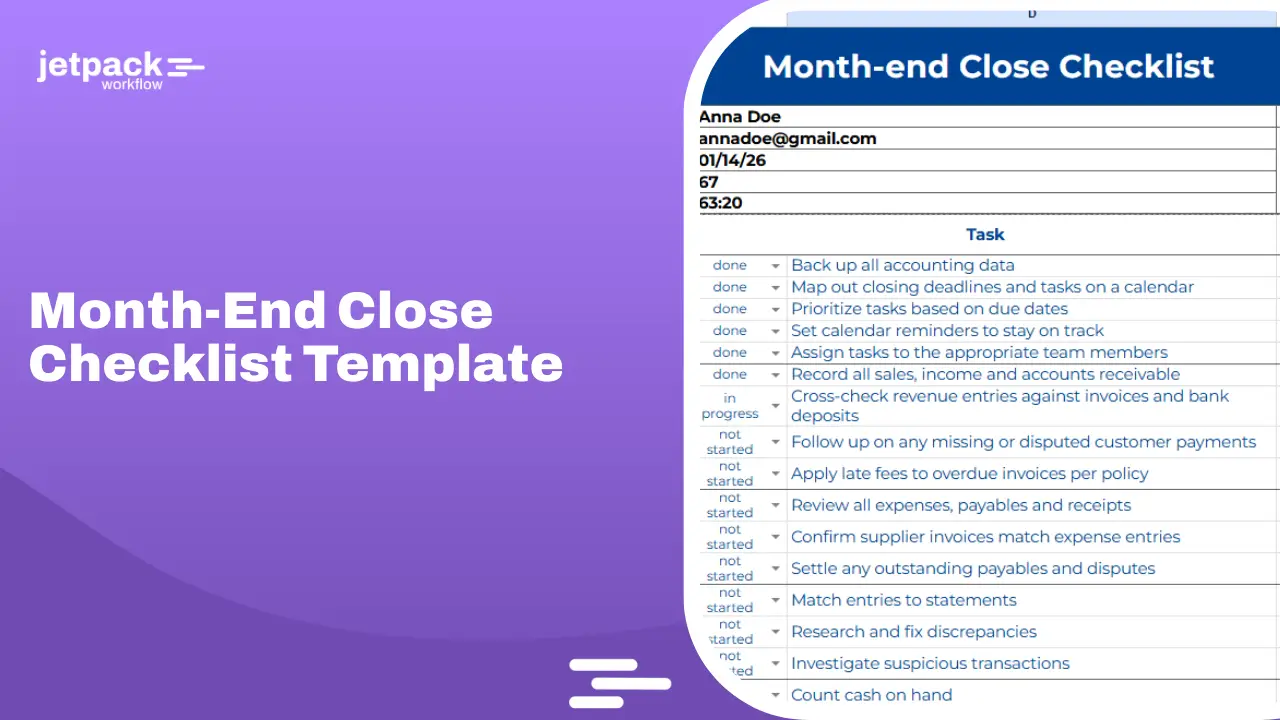
A month-end close checklist template helps accounting teams standardize workflows, reduce errors, and close books faster. This upgraded version includes every critical step, from preparation to final close and reporting, so nothing gets missed.
Whether you are managing multiple clients or internal accounting, this template gives your team a repeatable system that scales.
Key Takeaways
-
A month-end close checklist standardizes accounting workflows and reduces errors
-
Clear task ownership and deadlines improve accountability
-
Financial reporting and final close steps are critical for accuracy
-
Structured workflows help teams close books faster each month
-
Workflow tools can automate recurring tasks and improve visibility
A month-end close checklist ensures accurate financial reporting by organizing tasks, assigning ownership, and tracking progress. This template includes full workflow coverage from reconciliation to final reporting and close.
Download the Month-End Close Checklist Template
Use this complete month-end close checklist template to manage your monthly close process:
Free — no email required: open the Google Sheets version and make your own copy.
Enter your email and we will send the Month-End Close Checklist plus 32 free accounting workflow templates straight to your inbox.
Your files are ready:
Want these deadlines tracked automatically for every client? Start a free 14-day trial of Jetpack Workflow.
This version includes task stages, owners, due dates, time tracking, and notes for full visibility.
What is a month-end close checklist template?
A month-end close checklist template is a structured list of tasks that accounting teams follow to finalize financial records at the end of each month.
It ensures:
-
All transactions are recorded
-
Accounts are reconciled
-
Financial statements are accurate
-
The accounting period is properly closed
It replaces scattered processes with a clear, repeatable workflow.
Why use a month-end close checklist template?
A structured checklist improves both efficiency and accuracy.
-
Consistency across every month
-
Reduced errors and missed steps
-
Faster close timelines
-
Better team coordination
-
Clear visibility into progress
Without a checklist, closing the books becomes inconsistent and harder to manage as your firm grows.
How to use the month-end close checklist template
Step 1: Assign each task to a team member
Step 2: Set deadlines for every stage
Step 3: Track progress using status updates
Step 4: Review all completed tasks
Step 5: Finalize and close the accounting period
Consistency is what makes the checklist effective.
Complete Month-End Close Checklist Template
This upgraded template follows a full end-to-end workflow.
1. Prepare for closing
-
Back up accounting data
-
Set closing deadlines and timelines
-
Assign tasks to team members
-
Review prior month issues
-
Set reminders and workflow tracking
2. Record and reconcile revenue
-
Record all sales and income
-
Match revenue with invoices and deposits
-
Review accounts receivable
-
Follow up on overdue invoices
-
Apply late fees if applicable
3. Reconcile expenses
-
Record all expenses and receipts
-
Match supplier invoices to transactions
-
Review accounts payable
-
Resolve discrepancies and disputes
-
Process outstanding payments
4. Reconcile balance sheet accounts
-
Reconcile bank accounts
-
Reconcile credit card accounts
-
Investigate discrepancies
-
Review unusual transactions
5. Petty cash and cash controls
-
Count cash on hand
-
Match to accounting records
-
Log discrepancies
-
Replenish petty cash if needed
6. Payroll and accruals
-
Verify payroll entries
-
Record accruals (expenses and revenue)
-
Adjust prepaid expenses
-
Review deferred revenue
7. Inventory (if applicable)
-
Perform inventory counts
-
Adjust inventory records
-
Review cost of goods sold
8. Generate financial statements
-
Profit and Loss statement
-
Balance Sheet
-
Cash Flow statement
9. Review financial reports
-
Analyze variances
-
Identify unusual trends
-
Compare actual vs expected performance
-
Add notes and explanations
10. Close the accounting period
-
Final review of all accounts
-
Lock the accounting period
-
Save reports and documentation
-
Prepare for next cycle
What is included in this template
This template includes:
-
Stage-based workflow structure
-
Task-level breakdown
-
Assigned team members
-
Due dates
-
Status tracking (not started, in progress, completed)
-
Time tracking
-
Notes for context and explanations
Everything needed to manage the full close process.
Common errors this checklist helps prevent
-
Missing transactions
-
Unreconciled accounts
-
Duplicate entries
-
Incorrect accruals
-
Delayed reporting
-
Incomplete financial reviews
A structured checklist reduces these risks significantly.
Month-End Close template · 12 tasks · included free
Skip the setup. This month-end close checklist is already built in Jetpack Workflow.
Load every step below for all of your clients in one click. It recurs every month automatically, and each task has an owner and a due date, so every close gets reviewed and locked on time.
- Confirm bookkeeping for the month is complete
- Reconcile bank accounts
- Reconcile credit card accounts
- Reconcile loan accounts to lender statements
- Reconcile payroll clearing and liability accounts
- Reconcile AR and AP aging to general ledger
- Reconcile sales tax payable, if applicable
- Clear suspense, clearing, and undeposited funds balances
- Record recurring entries (depreciation, prepaids, accruals, fixed asset additions)
- Review P&L and Balance Sheet against prior months and investigate variances
- Reviewer sign-off
- Lock the accounting period
Use this template free Watch full demo
14-day free trial. Includes all 40 accounting workflow templates.
11 Key Month-End Tasks to Include in Your Checklist
The template covers each of these tasks. Here is what each one involves and why it matters.
1. Reconcile all bank and credit card accounts
Match every bank and credit card statement to its general ledger account. Investigate any difference before moving on, since the other reconciliations depend on these balances being right.
2. Reconcile loan balances to lender statements
Compare each loan balance in the ledger with the lender’s statement, and confirm that principal and interest were split correctly on every payment.
3. Keep receipts for capital purchases
File invoices and receipts for equipment and other capital items, confirm they were posted to fixed assets rather than expensed, and record depreciation.
4. Clear the suspense account
The suspense account should be empty at month-end. Reclassify every transaction to its proper account, or note the open question for the client.
5. Reconcile the payroll account
Tie payroll expense, liabilities and the payroll clearing account to the payroll provider’s reports so withholdings and employer taxes match.
6. Review operating expense accounts
Look for miscoded or duplicate entries, and confirm that recurring costs such as rent and software subscriptions posted once.
7. Reconcile accounts payable
Match the AP aging report to the balance sheet, and confirm that open bills are still owed and paid bills are closed.
8. Reconcile accounts receivable
Match the AR aging report to the balance sheet, follow up on overdue invoices, and confirm customer payments were applied to the right invoices.
9. Review class or department tracking
Run the profit and loss by class, location or department, and assign any untagged transactions so management reports are complete.
10. Compare the profit and loss month over month
Put this month beside the last few and investigate large swings in revenue or expense lines before reporting to the client.
11. Compare the balance sheet month over month
Do the same for assets, liabilities and equity. Unexpected changes often point to a missed entry or a misposting.
Working through this list for every client, every month, is where most firms lose time. In Jetpack Workflow you can turn it into a recurring month-end checklist that assigns each task and tracks due dates automatically.
Who this template is for
-
Accounting firms managing multiple clients
-
Bookkeepers handling recurring monthly closes
-
Finance teams in small and mid-sized businesses
-
CFOs and controllers overseeing reporting
-
Remote accounting teams needing standardized workflows
Best practices for month-end closing
-
Start tasks earlier in the month
-
Break work into weekly workflows
-
Automate repetitive processes
-
Communicate with clients early
-
Review financials before closing
-
Keep the process simple and consistent
Scale Your Firm With Better Financial Workflows
Spreadsheets can be useful, but managing a month-end close checklist across multiple clients quickly becomes time consuming and prone to errors without the right system in place.
Jetpack Workflow helps accounting firms track recurring close tasks, manage deadlines, and ensure every trial balance review happens on time with full visibility across clients.
You can standardize your month-end close process, assign clear ownership for each task, and keep your team accountable without relying on manual follow ups.
If you need more essential accounting templates, you can also download our other free resources. These include the General Ledger Template, Bank Reconciliation Template, Payroll Template, Balance Sheet Template, Profit and Loss Template , T Account Template and our Bookkeeping Templates collection. Each one is designed to help accountants and bookkeepers complete monthly close work faster and with fewer errors.
Frequently Asked Questions
What is a month-end close checklist template?
A structured list of tasks used to finalize financial records at the end of each month.
How long should the month-end close process take?
Most teams complete it within a few days to one week depending on complexity.
Who should use a month-end close checklist?
Accountants, bookkeepers, and finance teams managing recurring closes.
How can I automate my month-end close process?
Using workflow tools like Jetpack Workflow helps automate tasks and improve efficiency.
Improve Your Month-End Close Process
If you want better visibility and control over recurring accounting work, Jetpack Workflow can help you streamline trial balance reviews and month-end close processes.
Start your free trial and see how accounting firms use Jetpack Workflow to manage work, not just track it.
START YOUR FREE TRIALA checklist in a document works until you are running it for thirty clients at once. Jetpack Workflow turns a checklist like this into a repeating workflow, so nothing is tracked by memory. See pricing — 14-day free trial, no card.
This is 1 of 40 templates included in Jetpack Workflow
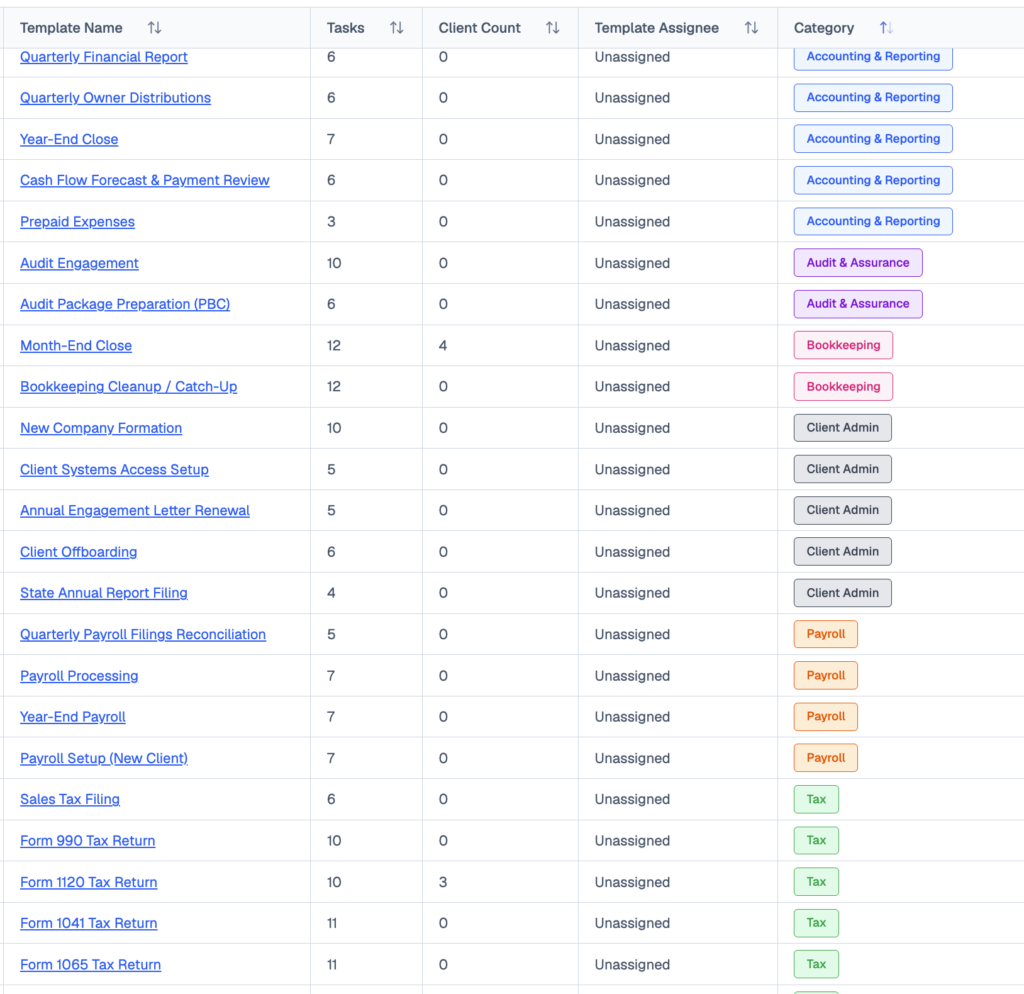
Tax, bookkeeping, payroll, month-end close, audit prep and client onboarding: 291 ready-to-run tasks, available the day you sign up. Templates that pair with your month-end close workflow:
- Monthly Bookkeeping · 9 tasks
- Monthly Financial Reporting Package · 7 tasks
- Weekly Bookkeeping · 4 tasks
- Year-End Close · 7 tasks
Share this article