Free Bank Reconciliation Template (Excel, Google Sheets & PDF)
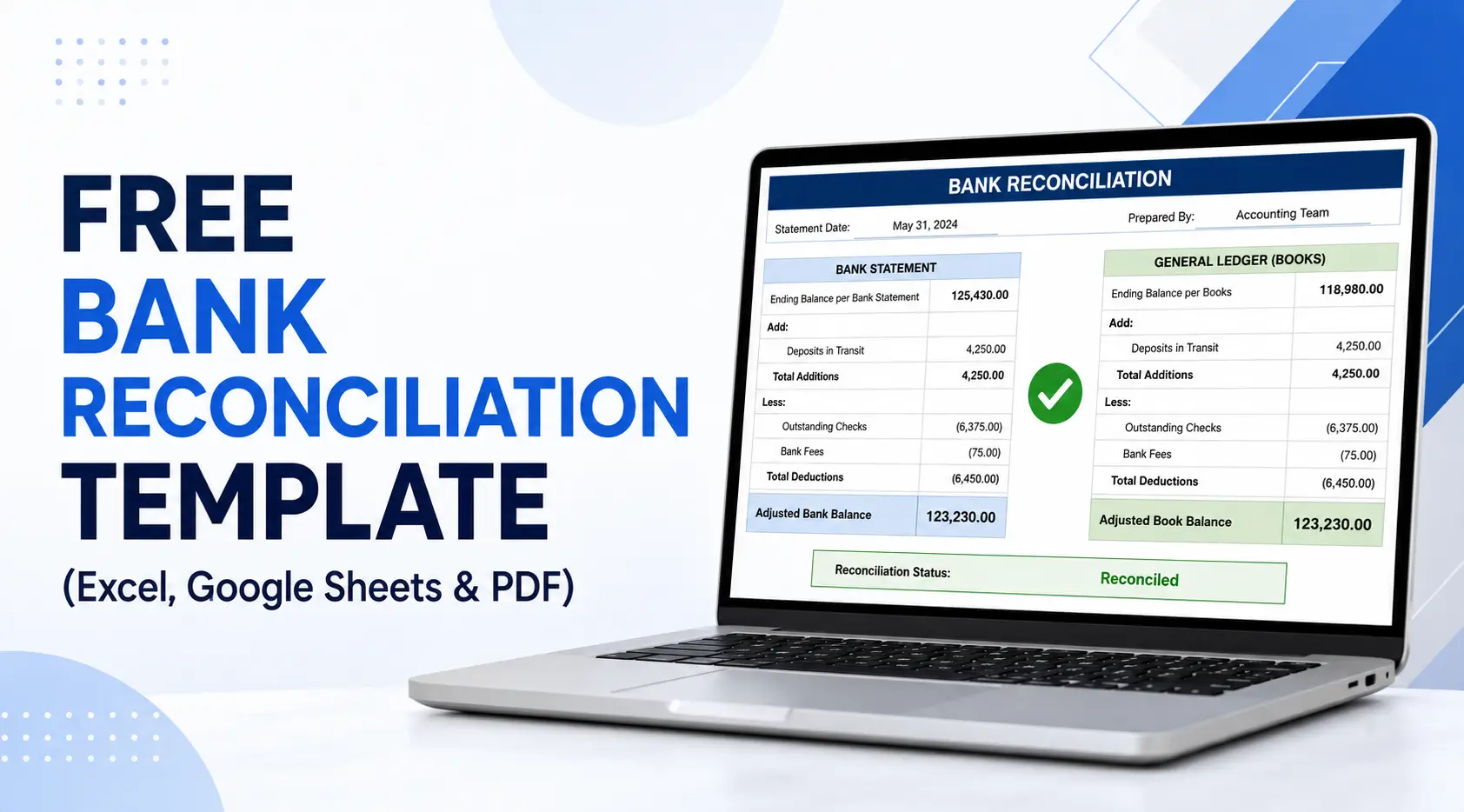
A bank reconciliation template compares your ledger against the bank statement so you can find and explain the difference. Firms run one per client each month to catch missing entries, duplicates and timing gaps before closing the books. Free in Excel, Google Sheets and PDF.
Reconciling your bank accounts helps confirm that the transactions recorded in your accounting system match your bank statements. Without a consistent process, businesses can overlook bank fees, outstanding checks, deposits in transit, duplicate entries, and unauthorized transactions.
Download our free bank reconciliation template in Excel, Google Sheets, or printable PDF format. This editable bank reconciliation worksheet helps small businesses, bookkeepers, and accounting firms compare balances, document discrepancies, and calculate adjusted bank and book balances.
This guide explains how to complete the template, which adjustments belong on each side, and how to build bank reconciliation into your recurring bookkeeping workflow.
Download the Free Bank Reconciliation Template
Choose the format that works best for your reconciliation process:
Enter your email and we will send the Bank Reconciliation Template (Excel, Google Sheets and PDF) plus 32 free accounting workflow templates straight to your inbox.
Your files are ready:
- Excel bank reconciliation template: Enter transactions and calculate adjusted balances using built-in formulas.
- Google Sheets bank reconciliation template: Complete and review reconciliations online with your bookkeeping team.
- Printable bank reconciliation template PDF: Create a physical record for manual completion or review.
Want these deadlines tracked automatically for every client? Start a free 14-day trial of Jetpack Workflow.
What Is a Bank Reconciliation Template?
A bank reconciliation template is a structured worksheet used to compare the balance shown on a bank statement with the balance recorded in a company’s general ledger or accounting software.
The worksheet separates timing differences and unrecorded transactions so the adjusted bank balance and adjusted book balance can be calculated independently. Once every item has been identified correctly, the two adjusted balances should agree.
Why Use a Bank Reconciliation
Reconciling your bank accounts ensures that your financial records are both accurate and complete. The template helps highlight timing differences, such as deposits in transit or outstanding checks, and it makes it easy to adjust your books, as well as ensures:- Accuracy: Errors or missed entries are quickly spotted.
- Fraud detection: Unauthorized transactions become visible.
- Cash visibility: You know your true available balance.
- Compliance: Many businesses are required to maintain reconciled records.
How to Do a Bank Reconciliation
Performing a reconciliation can seem tedious, but with a template, the process is straightforward. Here are the main steps.Step 1: Compare Bank Statement with Your Books
Start by reviewing the ending balance from your bank statement against the ending balance in your general ledger or accounting software. This establishes the starting point for reconciliation.Step 2: Identify Deposits in Transit
Sometimes deposits appear in your records but not yet on the bank statement. Add these to the bank balance. The simple bank reconciliation template Excel includes space for listing these items clearly.Step 3: Subtract Outstanding Checks
Checks that you have issued but that the bank has not yet cleared need to be deducted. List each outstanding check in the template until it clears in a future statement.Step 4: Record Bank Fees and Interest
Your bank may charge fees or pay interest directly. These transactions may not appear in your books yet, so record them during reconciliation. The bank account reconciliation template provides fields for these adjustments.Step 5: Adjust Your Records
After accounting for timing differences, update your books so that the adjusted balance matches the reconciled bank balance. If they do not match, investigate further.What Is Included in the Bank Reconciliation Spreadsheet?
| Template field | Purpose |
|---|---|
| Reconciliation date | Identifies the statement period being reviewed |
| Bank statement balance | Records the ending balance reported by the bank |
| Book balance | Records the cash balance in the general ledger |
| Deposits in transit | Tracks deposits recorded in the books but not yet processed by the bank |
| Outstanding checks | Lists issued checks that have not cleared |
| Bank fees and interest | Records transactions appearing only on the bank statement |
| Error adjustments | Documents errors found in the bank statement or accounting records |
| Adjusted balances | Confirms whether the bank and book balances agree |
- Pre-built sections for deposits in transit, outstanding checks, and bank adjustments.
- Formulas that calculate totals automatically.
- Customizable layout so you can adapt it to weekly or monthly reconciliations.
- Compatibility with Google Sheets for easy online collaboration.
Completed Bank Reconciliation Example
Suppose a company’s bank statement shows an ending balance of $13,200, while its accounting records show a balance of $13,550.
During the review, the bookkeeper identifies:
- A $1,000 deposit in transit
- $700 in outstanding checks
- A $50 bank service fee not yet recorded in the books
Adjusted Bank Balance
| Bank-side calculation | Amount |
|---|---|
| Ending bank statement balance | $13,200 |
| Add: Deposit in transit | $1,000 |
| Subtract: Outstanding checks | ($700) |
| Adjusted bank balance | $13,500 |
Adjusted Book Balance
| Book-side calculation | Amount |
|---|---|
| Ending balance according to the books | $13,550 |
| Subtract: Bank service fee | ($50) |
| Adjusted book balance | $13,500 |
Both adjusted balances now equal $13,500, which means the account has been reconciled.
Deposits in transit and outstanding checks adjust the bank balance, while fees, interest, and other bank-recorded transactions generally adjust the accounting records. This distinction is also explained in the UNC School of Government’s reconciliation guidance.
Common Bank Reconciliation Discrepancies
Differences between the bank statement and accounting records commonly result from:
- Outstanding checks
- Deposits in transit
- Bank service fees
- Interest income
- Returned or insufficient-funds payments
- Automatic payments or transfers
- Duplicate or missing transactions
- Incorrect transaction amounts
- Bank or bookkeeping errors
Each discrepancy should be documented and assigned to the correct side of the reconciliation before balances are adjusted.
Monthly Bank Reconciliation Workflow for Bookkeepers
Use the bank reconciliation spreadsheet as part of a repeatable monthly process:
- Collect the client’s bank statements.
- Confirm the opening and ending balances.
- Match cleared deposits and withdrawals.
- Identify outstanding checks and deposits in transit.
- Record bank fees, interest, and automatic transactions.
- Investigate unmatched or unusual activity.
- Calculate the adjusted bank and book balances.
- Obtain reviewer approval.
- Save the reconciliation and supporting documents.
- Schedule unresolved items for follow-up.
Bank Reconciliation Mistakes to Avoid
- Applying every adjustment to the same balance
- Recording deposits in transit as additional income
- Removing outstanding checks before they clear
- Ignoring small differences
- Failing to investigate old unreconciled items
- Reconciling only at year-end
- Allowing the same person to prepare and approve the reconciliation
- Not saving supporting documentation
Tips for Using Jetpack Workflow’s Bank Reconciliation Statement Template
Here are a few best practices to maximize the template’s effectiveness:- Reconcile regularly. A monthly bank reconciliation template works well for most businesses, but weekly reconciliations are even better for cash-sensitive operations.
- Keep supporting documents. Save copies of bank statements, deposit slips, and canceled checks alongside your reconciliation worksheet.
- Separate duties. If possible, have one person prepare the reconciliation and another review it to reduce the risk of errors or fraud.
- Stay consistent. Always use the same structure so that each reconciliation is easy to review.
More free templates for accounting and bookkeeping firms
- Accounts payable template
- Bookkeeping invoice template
- Bookkeeping engagement letter template
- Bookkeeping proposal template
- New client intake form for accounting firms
- Bookkeeping client onboarding questionnaire
- Accounting task spreadsheet
- Accounting memo template
- Bookkeeping client folder template
Need Help Managing New Client Projects?
A workflow management system is a great way to keep your bookkeeping firm organized and running efficiently. By automating tasks and keeping track of deadlines, you can be sure that nothing falls through the cracks and your clients are always getting the best possible service. In addition, a workflow management system can help you to allocate resources more effectively, ensuring your staff is always working on the most important tasks. Ultimately, a workflow management system can save you time and money, making it an essential tool for any bookkeeping firm. Jetpack Workflow was designed from the ground up with bookkeepers and accountants in mind. The cloud-based workflow management system allows you to start with predefined templates, customize them for your firm, and track progress on all your work.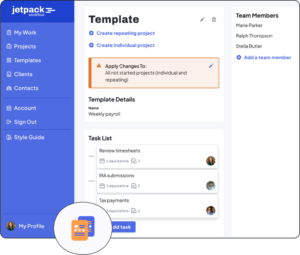 Jetpack Workflow offers a free 14-day trial which will give you the opportunity to see how much time you could be saving with a full workflow management system.
If you are producing this for several clients each month, the harder problem is not the template — it is tracking which clients are done and which are not. That is what Jetpack Workflow does: recurring checklists, deadlines, and a view of who is behind. Plans start at $40/user/month with a 14-day free trial.
Final Thoughts
A bank reconciliation template is a practical tool for keeping your books accurate and reliable. By downloading our free version in Excel, Google Sheets, or PDF, you can simplify the process and maintain confidence in your financial records. Whether you are reconciling weekly, monthly, or quarterly, the template helps ensure that your accounts reflect reality. Try the free download today and explore other Jetpack Workflow templates to strengthen your accounting workflow.Share this article