What is an Accounting Workflow? [The Simple Guide]
An accounting workflow is a defined sequence of tasks that moves accounting work from start to completion, with a clear owner, due date, handoff, and completion rule for each step. It gives accounting firms a repeatable process for completing work consistently instead of relying on memory, email, spreadsheets, or individual habits.
For example, a monthly bookkeeping workflow might begin when client documents arrive, move through reconciliation and review, and finish when financial reports are delivered. Each step has a responsible person and a clear condition for moving the work forward.
Accounting workflows are commonly used for:
- Monthly bookkeeping
- Tax preparation
- Client onboarding
- Payroll processing
- Month-end and year-end close
- Accounts payable and receivable
- Financial reporting
- Audit and assurance work
- Recurring advisory services
What Is an Accounting Workflow?
An accounting workflow is the structured path a piece of client work follows through your firm.
A complete workflow should define five things:
- Trigger: What starts the workflow?
- Steps: What tasks need to be completed?
- Owner: Who is responsible for each step?
- Due date or SLA: When should each task be completed?
- Completion rule: What must happen before the work is considered finished?
Without these elements, a process often becomes a loose checklist rather than a true workflow.
Simple accounting workflow example:
Client uploads monthly records → Bookkeeper reconciles accounts → Reviewer checks the work → Accountant resolves exceptions → Financial reports are delivered → Project is marked complete.
Checklist vs. Workflow vs. Workflow Software
These terms are often used interchangeably, but they serve different purposes.
| Element | Checklist | Accounting Workflow | Workflow Software |
|---|---|---|---|
| Primary purpose | Lists tasks that need to be completed | Defines how work moves from start to finish | Manages workflows across clients and team members |
| Task order | May be sequential | Clearly defined | Tracked within the system |
| Owner | Often not defined | Assigned to each task or stage | Assigned and visible to the team |
| Due dates | Optional | Part of the process | Tracked and monitored |
| Recurring work | Usually recreated manually | Can be standardized | Can be scheduled to repeat |
| Handoffs | Usually manual | Defined in the process | Visible across the workflow |
| Status visibility | Limited | Depends on how the workflow is managed | Centralized |
A checklist tells your team what to do. A workflow defines how the work moves. Workflow software helps your firm manage those workflows consistently across clients, deadlines, and team members.
The Major Benefits of Accounting Workflows
More Consistent Client Work
Standard workflows reduce variation between team members. Instead of every employee completing the same service differently, the firm can define a repeatable process that everyone follows.
Better Deadline Management
Accounting firms manage large volumes of recurring work with overlapping due dates. A workflow connects individual tasks to the broader project deadline so the team can see what needs attention before work becomes overdue.
Clearer Accountability
When every stage has an owner, there is less confusion about who is responsible for completing the next step.
Easier Team Onboarding
Documented workflows give new team members a process to follow instead of forcing them to learn recurring work entirely through observation or memory.
Better Visibility Across the Firm
A defined workflow makes it easier to see where work stands, which clients are waiting on the firm, which projects are waiting on clients, and where bottlenecks are forming.
More Scalable Operations
Standardized processes make it easier to add clients and employees without rebuilding the firm’s operating system every time the business grows.
Examples of Accounting Workflows
The exact structure will depend on your firm, service model, clients, and internal review requirements. These examples show how an accounting workflow can be organized around a trigger, owner, target turnaround time, and completion rule.
1. Monthly Bookkeeping Workflow
| Stage | Example Task | Owner | Example Internal SLA |
|---|---|---|---|
| 1 | Collect client documents and confirm required data is available | Client service coordinator | Within 2 business days of period close |
| 2 | Review and categorize transactions | Bookkeeper | Within 3 business days |
| 3 | Reconcile bank and credit card accounts | Bookkeeper | Same working cycle |
| 4 | Review outstanding items and adjustments | Senior bookkeeper or reviewer | Within 1 business day of preparation |
| 5 | Prepare and deliver financial reports | Account manager | Based on firm service agreement |
Completion rule: All required accounts are reconciled, review items are resolved, and the agreed financial reports are delivered to the client.
2. 1040 Tax Return Workflow
| Stage | Example Task | Owner | Example Internal SLA |
|---|---|---|---|
| 1 | Request required client documents | Client coordinator | Based on internal tax calendar |
| 2 | Confirm documents are complete | Tax preparer | Within 1 to 2 business days of receipt |
| 3 | Prepare the return | Tax preparer | Based on firm workload and filing schedule |
| 4 | Complete internal review | Reviewer or partner | Within firm’s review target |
| 5 | Resolve open questions with the client | Tax preparer or manager | Dependent on client response |
| 6 | Obtain approval and complete filing | Tax team | Before applicable filing deadline |
Completion rule: The return is reviewed, outstanding questions are resolved, required approvals are received, and the firm’s filing process is complete.
3. Client Onboarding Workflow
| Stage | Example Task | Owner | Example Internal SLA |
|---|---|---|---|
| 1 | Collect signed engagement documents | Client coordinator | Immediately after acceptance |
| 2 | Request access to accounting and financial systems | Onboarding specialist | Within 1 business day |
| 3 | Collect prior records and required documents | Onboarding specialist | Dependent on client response |
| 4 | Assign internal team members | Manager | Before service work begins |
| 5 | Create recurring client workflows | Manager or administrator | Before first recurring deadline |
| 6 | Complete kickoff and confirm next steps | Account manager | Based on firm onboarding standard |
Completion rule: Required access and documents are received, responsibilities are assigned, recurring work is scheduled, and the client knows what happens next.
The SLA examples above are illustrative internal targets rather than universal accounting or tax requirements. Firms should set timelines according to their own service standards, capacity, engagement terms, and applicable filing requirements.
Where Accounting Firms Get Workflows Wrong
Automating a Broken Process
Automation does not fix a poorly designed workflow. If the underlying process contains unnecessary approvals, duplicated steps, unclear responsibilities, or inconsistent handoffs, automating it can simply make the same problems happen faster.
Define the process first. Then automate the repetitive parts.
No Clear Owner
A task without an owner often becomes everyone’s responsibility and therefore no one’s responsibility. Every meaningful step should have a person or role accountable for moving the work forward.
No Client Wait-State
Accounting workflows frequently depend on information from clients. Firms should distinguish between work that is actively being completed and work that is waiting on client documents, approvals, signatures, or answers.
Without a clear client wait-state, delayed client responses can make internal workload reports misleading.
No Definition of Done
Teams need to know what qualifies as complete. “Prepare monthly bookkeeping” is vague. A stronger completion rule might require all accounts to be reconciled, exceptions resolved, review completed, and reports delivered.
Too Many Exceptions
If every client follows a completely different process, the workflow becomes difficult to maintain. Standardize the core process first, then allow exceptions only where the client or engagement genuinely requires them.
Building Workflows Around Individual Employees
A workflow should describe the firm’s process, not one employee’s personal method. Role-based responsibilities make it easier to transfer work, onboard employees, and scale the firm.
How to Build an Accounting Workflow
A practical workflow can be built in six steps:
- Choose one recurring service. Start with a process your team completes frequently.
- Define the trigger. Identify what starts the process.
- List the required tasks. Document the steps from beginning to completion.
- Assign an owner. Give each task to a person or role.
- Add due dates and handoffs. Define when work is due and what moves it to the next stage.
- Define completion. Decide exactly what must be true before the workflow is closed.
Run the workflow with a small number of clients first. That makes it easier to identify missing steps, unnecessary approvals, and bottlenecks before standardizing the process across the firm.
Free Accounting Workflow Templates
You do not need to build every accounting workflow from scratch.
Jetpack Workflow offers 32 free accounting workflow templates and checklists covering common accounting, bookkeeping, tax, payroll, audit, onboarding, and reporting processes.
Use the templates as a starting point, then adjust the tasks, owners, review steps, and internal deadlines around your firm’s process.
Start With a Proven Accounting Workflow
Download 32 free accounting workflow templates and customize them for your firm’s recurring client work.
How Accounting Workflow Software Helps
A documented workflow defines the process. Workflow software helps your firm manage that process repeatedly across multiple clients and team members.
Jetpack Workflow is designed specifically around recurring accounting work. Firms can use it to:
- Create reusable workflow templates
- Apply standardized processes to client work
- Assign projects and tasks to team members
- Set recurring schedules and due dates
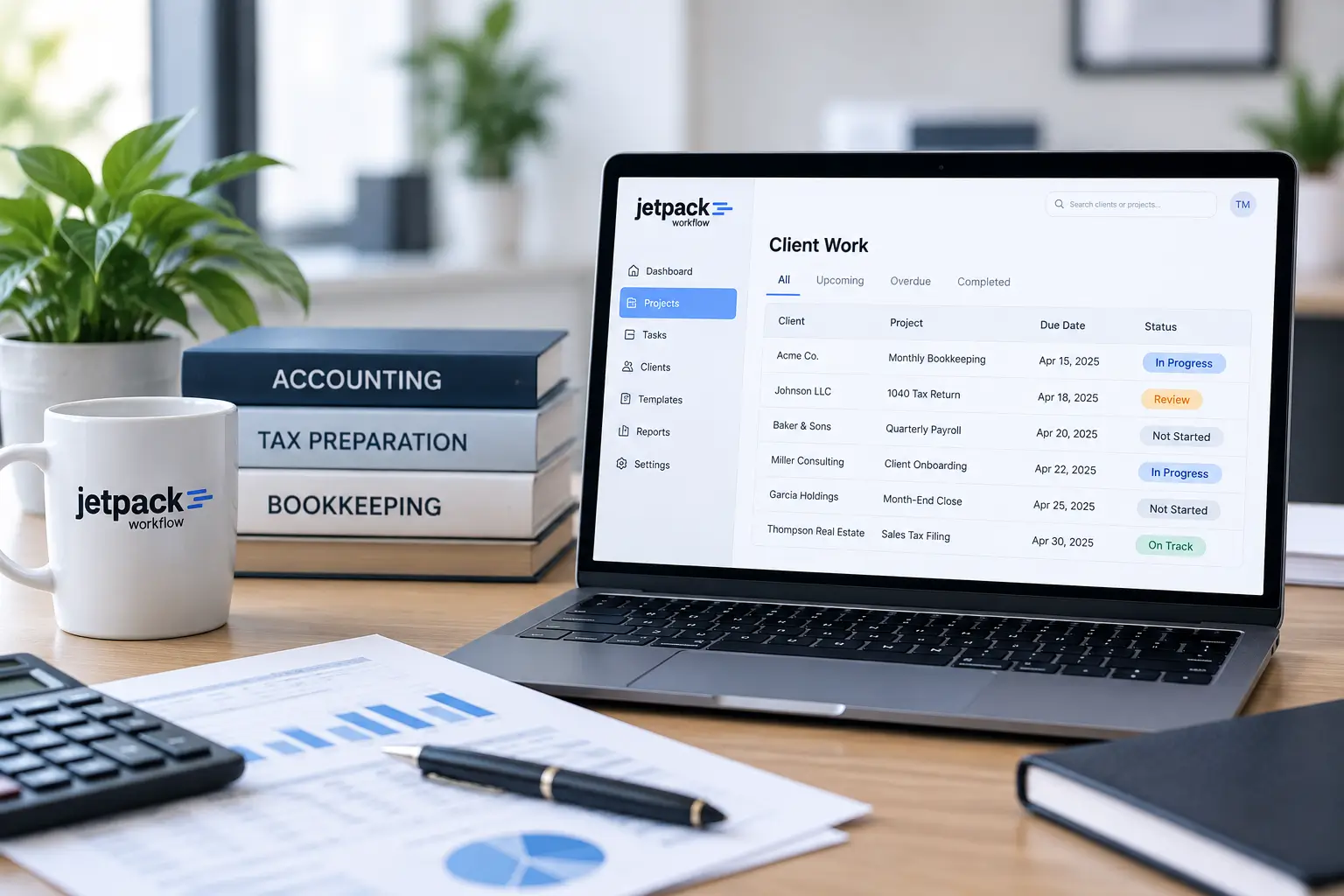
- See upcoming and overdue work
- Track project progress across clients
- Give managers visibility into firm workload
Jetpack Workflow is a workflow management platform rather than an all-in-one practice management suite. Its focus is helping accounting and bookkeeping firms manage recurring client work, deadlines, assignments, and standardized processes.
See how Jetpack Workflow works to learn how templates become recurring projects that your team can assign and track.
Turn Repeatable Processes Into Trackable Client Work
Use Jetpack Workflow to manage recurring workflows, due dates, assignments, and overdue work in one place.
Frequently Asked Questions About Accounting Workflows
What is an accounting workflow?
An accounting workflow is a defined sequence of tasks used to move accounting work from start to completion. It typically includes a trigger, individual steps, responsible owners, due dates or internal service targets, handoffs, and a clear completion rule.
What is an example of an accounting workflow?
A monthly bookkeeping workflow might begin when client records are available, continue through transaction review and account reconciliation, move to internal review, and finish when financial reports are delivered to the client.
What is the difference between an accounting checklist and an accounting workflow?
A checklist lists tasks that need to be completed. A workflow defines how those tasks move through a process, including their sequence, owners, due dates, handoffs, and completion requirements.
What accounting processes should firms turn into workflows?
Good candidates include recurring bookkeeping, tax preparation, payroll, client onboarding, month-end close, accounts payable, accounts receivable, financial reporting, audit processes, and other services that follow a repeatable series of steps.
What should an accounting workflow include?
A useful accounting workflow should include the trigger that starts the process, required tasks, task owners, due dates or internal targets, handoffs between people or stages, client wait-states when necessary, and a clear definition of when the work is complete.
Can accounting workflows be automated?
Parts of an accounting workflow can often be automated, particularly recurring project creation, assignments, reminders, and scheduling. However, firms should standardize the underlying process before automating it so they do not automate unnecessary or poorly defined steps.
What is accounting workflow software?
Accounting workflow software helps firms manage standardized processes across clients and team members. It can be used to create recurring projects, assign work, track due dates, identify overdue tasks, and monitor project status from one system.
Does workflow software replace practice management software?
Not necessarily. Workflow software focuses on organizing and managing the work itself. Broader practice management systems may also include functions such as billing, CRM, document management, or other firm-management features. Jetpack Workflow focuses specifically on recurring client work, workflow standardization, deadlines, and team accountability.
Where can I get accounting workflow templates?
Jetpack Workflow provides 32 free accounting workflow templates and checklists that firms can use as starting points for recurring accounting, bookkeeping, tax, payroll, audit, onboarding, and reporting processes.
Share this article