Claude Design for Accountants: Toni Witt on Building Live Client Dashboards

Many accounting firms still send clients a static monthly package: a PDF of financial statements and maybe a short note. Toni Witt thinks firms can now offer something much better, and build it in minutes.
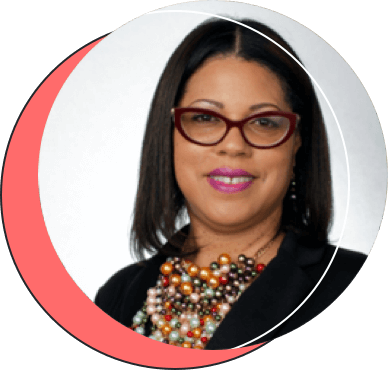
Toni is co-founder and CEO of Sweet, which works as a fractional AI director for accounting firms. He came back to Growing Your Firm for episode 2 of the AI in Accounting mini-series with host David Cristello, founder and CEO of Jetpack Workflow.
Toni showed two ideas. First, how firms use Claude Design to build live, interactive client dashboards from QuickBooks data. Second, why firms should own the AI skills they build instead of renting black-box agents from vendors.
Key Takeaways
- Claude Design is a design tool from Anthropic that Toni says many people miss. He opens it at claude.ai/design.
- Toni uses it for slides, engagement letters, tax explainers and close reports. He showed the same style of work on a live client dashboard.
- A live dashboard can pull client data straight from QuickBooks and be customized for each client.
- Once the QuickBooks connection and templates are in place, Toni says customizing a dashboard takes 10 to 15 minutes.
- Pair the dashboard with a short Loom walkthrough or a 20-minute call to turn reporting into advisory.
- Own your intelligence: keep your AI skills as files you can read, change and move between tools.
- When you choose software, bet on openness. Make sure you can export your data and connect it to other tools.
Watch Toni Witt and David Cristello build a live client dashboard and talk about owning your firm’s AI:
What Is Claude Design?
Claude Design is Anthropic’s tool for design work. Toni says a lot of people do not know about it, because it is not on the main Claude screen. He opens it at claude.ai/design.
You describe what you want, and Claude builds it: a live mini app, a dashboard, a mockup, a slide deck or a page.
Toni has used it heavily for several months. All the slides for his webinars and talks come from Claude Design. He now builds client-facing assets with it too:
- Engagement letters
- Tax explainers for clients
- Financial reports and month-end close reports
David sees the same thing in his other venture, Actually Finance for nonprofits. His co-founder runs all product mockups through Claude Design.
David was direct about it: sales materials, websites and engagement letters no longer have a reason to look like they were built in the nineties.
How a Live Client Dashboard Works
Toni demonstrated a live financial dashboard for a demo company. A handful of firms already offer this kind of dashboard to clients.
It goes a step beyond the monthly close package. Instead of static statements, the client gets a living view of their numbers that they can click through.
What the dashboard showed
- Cash accounts, with a breakdown and a line graph
- Receivables and payables
- Net income
- Different time frames
The data came straight from QuickBooks through an integration Sweet set up. Toni says a payroll system can be connected too.
Every client can see different things
The dashboard can be customized per client. One client sees one set of numbers. Another sees a different set. You decide what each client needs.
How long it takes to build
David asked how heavy a lift this is.
Toni’s answer: very little, once the setup is done. Sweet handles the live connection to QuickBooks, the templates and the hosting. After that, customizing a dashboard takes about 10 to 15 minutes.
You customize it by talking to the agent. For example: change the look, add a graph here, visualize this data.
The same data can also become a slide deck. Toni says that version took about a minute of Claude Design work.
Static Monthly Package vs. Live Client Dashboard
| Question | Static monthly package | Live client dashboard |
|---|---|---|
| When is it updated? | Once a month, after close. | Live from QuickBooks. |
| Can the client explore it? | No. It is a fixed file. | Yes. Click through accounts and time frames. |
| Can each client see different things? | Usually one standard format. | Yes. Customized per client. |
| Other data sources? | Mostly the ledger. | Ledger, payroll and other connected tools. |
| Advisory value | The client reads it alone. | A natural base for a walkthrough and planning talk. |
Turn the Dashboard Into an Advisory Offer
A dashboard on its own is useful. Paired with a conversation, it becomes an advisory service.
David and Toni described three ways to deliver it:
- A Loom walkthrough. Send a short video of you walking through the client’s dashboard, with a link to it.
- A 20-minute call. Screen share, click through the numbers together and note the client’s questions and ideas. Add advisory notes or planning items for next month, such as a cash flow forecast.
- A named package. Offer live financials, updated in real time, with a call at the end of each month.
David added an idea that makes the dashboard even stronger: show leading indicators next to the financials. If the client’s CRM is connected, the dashboard can show the sales pipeline or free trials month over month.
Then the advisor can say: “Revenue looks good, but I noticed your trials are dipping.” Or: “Your COGS increased. Is there a reason for that?”
You do not need the answer. Your job is to put a spotlight on what looks different, early. As David put it, pair this with a recurring walkthrough and you have a client for life.
Make the Monthly Review a Routine
A dashboard only builds client trust if the review happens every month, on time.
Jetpack Workflow helps accounting firms schedule recurring client work, assign owners and track every deadline.
Own Your Intelligence: Build AI Skills Your Firm Keeps
Toni’s second idea is about the future of your firm’s AI.
More firms now run their work through AI: Claude, ChatGPT and the AI features inside tools like Ramp, Intuit and Xero. Toni’s question: what happens to your operations if a provider changes its access, raises its token prices or goes down overnight?
His answer is to own your intelligence. Build your own agents instead of only renting the vendors’ agents.
Start with a skill file
In its simplest form, an owned agent is a Claude skill: a file, often a markdown file, that says how the agent thinks and works. You can store it on your computer, read it, change it at any time and use it with ChatGPT or another agent.
Toni compares the two paths. Buying a vendor’s agent is like renting a consultant. Building your own is almost like making your own hire: one that only works for your firm, the way your staff expect.
Sweet now builds skills like this for its clients. The client owns the skill. It is the firm’s own IP.
Self-hosting is the long-term goal
Toni expects more firms to self-host AI over time, on their own servers or even on machines in the office. Firms hold sensitive client data and hard-won know-how, and many will not want to hand all of it to an outside AI provider.
He accepts that self-hosting has costs and trade-offs today. So he gave firms three things to aim for now.
How to Judge AI Vendors: Toni’s 3 Openness Tests
David raised a case. New AI-first tools, such as the CRM Lightfield, now include a skill library. Notion has skills too. Should firms keep their skills there?
Toni’s view: it can be fine, if the tool passes these tests.
- Can you see the prompts? Your staff should be able to read the skill or instructions behind the agent. A black box is hard to trust.
- Can you change how the agent works? For example, how it closes a client’s books, categorizes a transaction or reviews a tax return. When staff can shape it, they trust it more and use it more.
- Do you own the data? You should be able to export it, or move it freely through MCP or other connectors, so you are not tied to one agent or one tool.
If a tool passes, Toni would not worry much about building in it. His long-term bet for anyone choosing software now is openness.
How to Get Started This Month
This plan turns the episode into first steps. It is our summary, not a Sweet method.
- Try Claude Design on one asset you already make. A tax explainer or your engagement letter is a good first test.
- Pick one client for a dashboard pilot. Choose a client who already asks about their numbers.
- Decide the review format. A Loom video or a 20-minute call, every month.
- Write one skill file. Take a process your team repeats, such as a close checklist, and write it as instructions you can read and change.
- Check your tools for openness. Ask each vendor the three questions above. Check your client agreement before you put a client’s data in a new tool.
For more on Claude for accounting work, see Isaac Perdomo on Claude Skills for tax return review and Toni’s earlier guide to Claude Cowork.
Frequently Asked Questions About Claude Design for Accountants
What is Claude Design?
Claude Design is Anthropic’s design tool. You describe what you want and Claude builds it, such as a dashboard, a slide deck, a mockup or a page. Toni Witt opens it at claude.ai/design.
Can Claude Design build a live client dashboard from QuickBooks?
Claude Design handles the design. In the episode, Toni showed a dashboard that pulls live data from QuickBooks through an integration his company set up. His company also provides the templates and hosting.
How long does a custom client dashboard take?
Toni says that once the QuickBooks connection, templates and hosting are in place, customizing a dashboard for a client takes about 10 to 15 minutes.
How can accountants charge for a client dashboard?
Pair it with a monthly Loom walkthrough or a short call, and offer it as its own advisory package with live financials and a month-end call.
What does “own your intelligence” mean for an accounting firm?
It means keeping your AI agents as skills or instruction files your firm can read, change and move between tools, instead of relying only on black-box agents inside vendor software.
What should firms check before they build AI inside a vendor’s tool?
Toni suggests three checks: can you see the prompts, can you change how the agent works, and can you export your data or move it through connectors such as MCP.
Conclusion: Better Client Reporting, Built on AI You Own
Toni Witt’s episode shows how fast client reporting is changing. A live, custom dashboard used to be a big project. With Claude Design and a QuickBooks connection, Toni says it now takes minutes to customize.
The bigger lesson is ownership. Firms that keep their AI skills as their own files, and choose open tools, can switch providers without starting over.
Start with one client, one dashboard and one monthly review.
About the guest: Toni Witt is co-founder and CEO of Sweet, a fractional AI director for accounting firms. Sweet helps firms build an AI strategy, custom agents and team adoption. You can book time with Toni through verysweet.ai.
Last Updated: November 2026
Related Articles
- Claude Cowork for Accountants: Toni Witt on Building Real AI Systems
- Claude Skills for Accountants: Isaac Perdomo on Automating Tax Return Reviews
- How to Build AI Agents for Accounting Firms: Isaac Perdomo’s Three-Step Framework
- ChatGPT for Accountants: Create High-Level Advisory Reports with Better Prompts
- AI Use Cases for Accounting Firms: Jan Haugo on What Firms Should Automate First
Deliver Every Monthly Review on Time
Advisory work only grows when it runs like clockwork. Keep every client review, close and deadline on track.
Jetpack Workflow helps accounting firms organize recurring work, assign owners and see what is due next.
Share this article