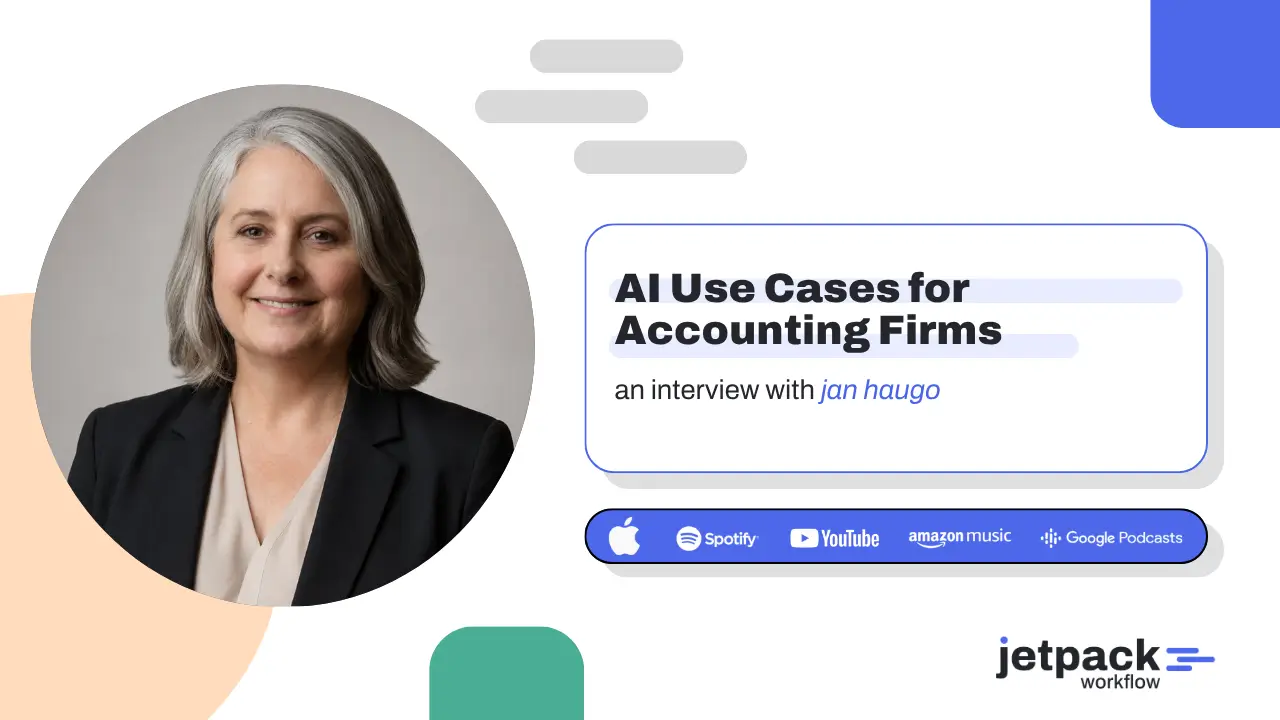
AI Use Cases for Accounting Firms: Jan Haugo on What Firms Should Automate First
Artificial intelligence is moving quickly across the accounting profession. But for many firms, the biggest challenge is no longer understanding that AI exists. It is figuring out where AI actually belongs in the firm’s day-to-day operations.
Should you start with bookkeeping? Advisory? Payroll? Sales? Marketing? Should AI review client information? And what needs to happen before sensitive accounting data ever touches an AI system? Jan Haugo, founder and AI researcher at SmartAccountant.ai, joined David Cristello, founder and CEO of Jetpack Workflow, to discuss practical AI use cases for accounting firms and what firms should consider automating first.
Haugo researches and tests emerging AI and automation tools for controllership and record-to-report applications. Her perspective throughout the conversation was clear: firms should not begin by chasing the newest AI tool.
They should begin with security, clean data, documented processes, and clearly defined outcomes.
From reviewing bookkeeping work to preparing advisory meetings and supporting sales calls, the conversation revealed where AI can provide practical value today and what accounting firms need to put in place before trying to automate everything.
Key Takeaways
- Start with the outcome and workflow, not the AI tool.
- Standardize and document processes before trying to automate them.
- Prioritize repetitive tasks that consume time or directly support profitable services.
- AI can provide a valuable second set of eyes for bookkeeping and financial review.
- Advisory preparation is a strong AI use case because AI can help organize information, summaries, action items, and next steps.
- AI can support sales teams with prospect research, meeting preparation, follow-ups, and sales coaching.
- Security, permissions, PII, and data handling need to be addressed before AI is deployed across the firm.
- Firms should think beyond ChatGPT and Claude and consider AI capabilities already available within Microsoft and Google environments.
- AI adoption should involve the entire organization, not just partners or early adopters.
- The future of accounting AI is increasingly about connecting systems and workflows rather than using isolated AI tools.
Why Accounting Firms Need an AI Strategy, Not Just AI Tools
One of the biggest mistakes an accounting firm can make is treating AI adoption as another software purchase.
Accounting firms have been conditioned to find a tool, add it to the technology stack, and then determine how their processes should work around it.
Haugo recommends reversing that sequence.
Instead of starting with a tool, start by asking:
What do we want to happen?
If the goal is to automatically send a particular client communication, for example, define that desired outcome first. Then work backward through the systems, information, approvals, and steps required to make it happen.
That creates a workflow around the firm’s actual objective rather than forcing the firm’s operations into whatever a particular AI application happens to support.
This distinction becomes increasingly important as firms experiment with more AI applications.
Without clearly defined workflows, adding more technology can simply create another layer of fragmentation.
As Haugo explained, firms should identify the outcome, map backward, and then determine how the workflow should operate.
Before AI Automation, Find Out Where Your Data Lives
Before discussing specific AI use cases for accounting firms, Haugo recommends answering a fundamental question:
Where is your data?
Information inside an accounting firm is rarely stored in one place.
Client information may exist across email, document management systems, accounting platforms, spreadsheets, task management software, CRM systems, meeting transcripts, and individual team members’ files.
Haugo describes this as a “spider web” of information.
That becomes a problem when firms want AI to work across their operations.
If the information required to complete a process is scattered across multiple disconnected systems, the AI system may not have the context it needs.
The familiar principle applies:
Garbage in, garbage out.
Firms therefore need to consider data consolidation and organization alongside AI implementation.
This does not necessarily mean moving every piece of information into one application. It means understanding where information resides, which systems AI needs access to, and whether the underlying data is organized well enough to support the intended workflow.
AI Security for Accounting Firms Comes First
For accounting professionals, security is not an optional part of AI adoption.
Firms handle financial records, banking information, personally identifiable information, and other sensitive client data.
Haugo emphasized redaction and anonymization when working with information outside approved environments. She also highlighted an important consideration that receives less attention: the AI capabilities already available within enterprise ecosystems such as Microsoft and Google.
For firms operating within those environments, tools such as Microsoft Copilot and Google Gemini can provide another path for incorporating AI into existing workflows.
Haugo’s broader point is that firms should understand where their information is going and what environment is processing it.
Free, paid, team, and enterprise AI products can also have different data terms and protections. Firms therefore need to understand the terms and configuration of the specific service they use rather than assuming every version operates identically.
She also raised another potential issue with redaction.
Simply placing a black box over sensitive information in a document does not necessarily mean the underlying information has been removed. Metadata or underlying document information may still exist depending on how the file was created and redacted.
For accounting firms, responsible AI implementation requires more than telling employees not to paste client information into random tools. It requires defined policies around approved platforms, permissions, data handling, redaction, and review.
What Should Accounting Firms Automate First?
Once the foundations are in place, firms can begin identifying practical opportunities for AI.
Haugo recommends looking for:
Repetitive tasks that people do not enjoy but that contribute to making the firm money.
That is a useful distinction.
The objective is not simply to automate as many tasks as possible. The better question is where automation can reduce repetitive effort while supporting valuable client work.
Based on the discussion, several use cases stand out.
1. Create and Standardize SOPs

One of the simplest places to begin is standard operating procedures.
Accounting firms already generate much of the raw information required to document processes through:
- Zoom meetings
- Loom recordings
- Internal training
- Process walkthroughs
- Meeting transcripts
- Existing checklists
AI can help transform this material into structured SOPs.
For example, a team member could record themselves completing a recurring process. The transcript could then be provided to an AI system configured to convert the walkthrough into the firm’s preferred SOP format.
The result still needs review, but AI can reduce the manual work involved in converting knowledge into documentation.
For Haugo, SOPs are particularly important because AI itself benefits from standardized instructions.
A documented process gives the AI a system to reference.
That means SOP creation is not simply another AI use case. It can become part of the foundation for more advanced automation later.
2. Review Bookkeeping Work and Catch Errors
One of the most practical accounting AI use cases discussed was using AI as a second set of eyes.
This can be especially useful for smaller accounting and bookkeeping firms where one person may effectively perform multiple roles.
A firm owner might be responsible for junior-level bookkeeping work, senior review, month-end close, and client communication.
Haugo suggested using AI to help review work, identify potential mistakes, and surface areas that deserve closer attention.
AI may help with tasks such as:
- Reviewing transaction coding
- Identifying potential inconsistencies
- Highlighting possible errors
- Supporting month-end review
- Surfacing areas requiring human investigation
The important distinction is that AI does not replace professional review.
Instead, it can provide another review layer that helps accountants direct their attention toward potential problems more efficiently.
3. Speed Up Month-End Close
Month-end close contains many repetitive processes, making it a natural area for accounting firms to investigate.
But Haugo recommends against beginning with the vague objective of “automating month-end.”
Instead, define what improvement actually means.
For example:
“I want my month-end close to happen faster.”
From there, examine each component of the close process and determine which repetitive activities are suitable for AI assistance.
Some may involve reviewing information. Others may involve summarization, document preparation, anomaly identification, or preparing information for human review.
Breaking the process into individual steps makes automation more manageable and reduces the temptation to hand an entire high-risk accounting process over to AI at once.
4. Prepare Advisory Meetings and Financial Summaries
Advisory work was one of Haugo’s strongest examples of a profitable AI use case.
Before an advisory meeting, accountants often need to review financial information, identify trends, organize observations, prepare reports, and determine which issues should be discussed with the client.
AI can help prepare that information before the meeting.
Haugo described using a well-designed prompt or project to produce materials such as an executive summary, action items, and next steps.
That can give the accountant a stronger starting point for the client conversation.
There is also a commercial benefit.
Next steps identified during advisory preparation may reveal additional problems the firm can help the client solve.
The accountant remains responsible for interpreting the financial information and providing professional judgment, but AI can reduce the preparation work surrounding that conversation.
5. Review Payroll Information and Timesheets
Payroll offers another example of AI supporting review rather than replacing the underlying professional process.
Haugo discussed workflows in which reports or timesheets arrive in a designated location and an AI system reviews the information and prepares a summary.
For example, a scheduled workflow could identify payroll reports arriving in an inbox or files being added to an approved Google Drive folder.
The AI could then review the available information and create a summary or supporting document for the person responsible for payroll.
The final information can then be reviewed and entered into the appropriate payroll system.
This approach keeps a human involved while reducing some of the repetitive work required to gather and review payroll information.
6. Build an AI Sales Assistant
One of the more unexpected AI use cases in the conversation had nothing to do with bookkeeping.
It was sales.
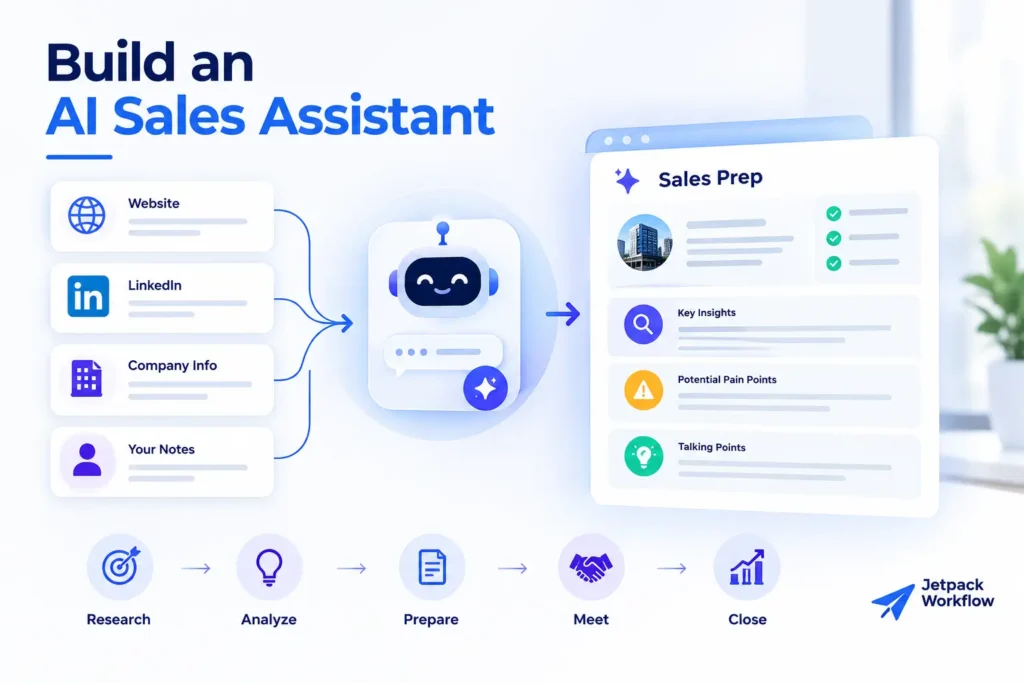
Many accountants are comfortable solving technical problems but less comfortable with the sales process.
Haugo has developed an AI-supported sales workflow that helps prepare her before prospect conversations.
Before a sales call, the system can analyze information such as:
- The prospect’s website
- LinkedIn information
- Available company information
- Potential pain points
- Relevant services or solutions
- Possible discussion topics
Her system then organizes the findings into what she describes as the “good, bad and ugly” of the prospect’s current situation.
The objective is not to have AI make the sale.
It is to help the person conducting the meeting arrive better prepared.
7. Use AI as a Real-Time Sales Coach
Haugo takes the sales use case further.
During a sales conversation, she can provide information about an objection to her AI project and receive guidance about how to approach it.
For example, if a prospect says a service is too expensive, the system can provide suggestions based on the sales frameworks included in its instructions.
After the meeting, the transcript can be added to the system.
AI can then:
- Summarize the conversation
- Identify important discussion points
- Prepare follow-up actions
- Draft a personalized follow-up email
- Maintain the appropriate brand voice
This turns AI into a support layer across the sales process rather than simply a tool for generating cold emails.
8. Research Prospects Before Sales Calls
The prospect research component deserves separate attention because it demonstrates an important AI capability.
Haugo explained that AI can analyze not only what a firm’s website says, but also what may be missing.
For example, references to desktop software or a lack of discussion around newer technology could potentially indicate areas worth exploring during a conversation.
These signals are not definitive conclusions.
They are prompts for better questions.
That distinction matters. AI-assisted research can help an accountant prepare for a conversation, but the actual prospect should confirm their priorities, challenges, and technology maturity.
Used correctly, AI research can help make sales conversations more relevant without pretending that a website reveals everything about a firm’s operations.
9. Automate Parts of Accounting Firm Marketing
Marketing was another area Haugo identified as increasingly suited to AI assistance.
Potential applications include:
- Generating content ideas
- Developing hooks
- Drafting posts
- Creating images
- Repurposing existing content
- Preparing marketing materials
Human review remains important, particularly when content represents the firm’s expertise or professional opinions.
Haugo’s approach also emphasizes brand voice.
Before developing her sales AI system, she created what she describes as a brand guardian to capture how she communicates.
That gives AI-generated materials a clearer framework for reflecting her voice rather than producing generic content.
For accounting firms using AI for marketing, this is an important lesson.
Efficiency should not come at the cost of sounding exactly like every other firm using the same AI model.
10. Build an AI-Powered Daily Operations Assistant
Toward the end of the conversation, Haugo discussed one of the more advanced examples of AI she currently uses.
She described Town.com as an assistant that connects information across different parts of her work.
Her morning brief can provide information about upcoming calls, meeting preparation, email, reminders, and other priorities.
She also described integrations involving tools such as Slack, Notion, and Asana.
The important lesson is bigger than one application.
Haugo sees the future of AI as a connection layer.
Instead of employees separately opening an email tool, task manager, knowledge base, AI chatbot, and other applications, AI systems may increasingly understand information across those environments and help coordinate the work between them.
Why Connected AI Systems Matter
Most firms already have plenty of software.
The problem is that those systems frequently operate as separate islands.
Haugo explained the distinction using her own Notion and Asana setup.
She uses Notion primarily as an organized information repository, including transcripts, classes, and other knowledge.
Asana serves as the task layer.
This distinction becomes particularly relevant as AI agents become more capable.
An agent needs more than intelligence. It needs context about the firm’s information, processes, and responsibilities.
A task management system can show whether work has been completed. An SOP can explain how that work should be completed. Other connected systems provide the information required to execute or review it.
This is where structured workflow management becomes increasingly important.
AI can assist with individual steps, but firms still need an operational system that defines what needs to happen, who owns it, when it is due, and whether it has been completed.
The Role of Workflow Management in an AI-Enabled Accounting Firm
AI does not eliminate the need for workflow management.
It makes structured workflows more important.
Consider a recurring client process.
AI might eventually help:
- Review incoming information
- Summarize documents
- Identify anomalies
- Prepare a report
- Draft client communication
- Generate follow-up actions
But the firm still needs to know:
- Which client the work belongs to
- What process should be followed
- Who is responsible
- What the deadline is
- Which steps are complete
- What requires human review
- What happens next
This is where Jetpack Workflow fits into the broader AI conversation.
Jetpack Workflow helps accounting and bookkeeping firms organize recurring work, standardize processes, assign responsibilities, and maintain visibility across client engagements.
That operational structure becomes increasingly valuable as firms introduce AI into individual parts of their workflows.
AI can accelerate work. A defined workflow determines where that acceleration should happen.
Do Not Leave Half the Firm Behind
AI implementation is also a people problem.
Within the same accounting firm, Haugo sees very different levels of adoption.
Some employees are eager to test every new AI application. Others may not even have an AI chat account.
Trying to force both groups to move at the same speed can create problems.
Instead, Haugo recommends meeting people at their current level of comfort while establishing a common foundation.
Interestingly, both groups can benefit from this approach.
AI enthusiasts may need to slow down and learn proper security and workflow practices.
More hesitant employees may need practical demonstrations that show how AI can help with work they already understand.
The goal is not to make every employee an AI enthusiast.
It is to get the organization moving in the same direction.
AI Adoption Should Extend Beyond Accounting Production
Another mistake is limiting AI conversations to accounting production.
Haugo argues that the entire organization needs to be considered.
That includes:
- Accounting
- Bookkeeping
- Tax
- Advisory
- Payroll
- Sales
- Marketing
- Operations
A firm cannot fully rethink its operations if one department adopts new workflows while every other department continues working in isolation.
That does not mean every function needs the same AI tools.
It means the firm needs a shared approach to security, data, processes, permissions, and automation.
A Practical Framework for Choosing Your First AI Use Case
Based on Haugo’s approach, accounting firms can evaluate potential AI opportunities using a simple sequence.
1. Define the outcome
Do not start with “we want to use AI.”
Start with a specific operational objective.
For example:
We want to reduce the time required to prepare for monthly advisory meetings.
2. Map the existing workflow
Document how that outcome is currently produced.
Identify the people, systems, information, approvals, and handoffs involved.
3. Find repetitive steps
Look for work that is repeated frequently and follows recognizable rules.
These tasks are often better starting points than complex processes requiring substantial professional judgment.
4. Identify the required data
Determine where the AI would get the information necessary to perform the task.
If that information is fragmented or unreliable, address the data problem first.
5. Review security
Determine whether the workflow involves PII, confidential financial information, or other sensitive client data.
Use approved environments and appropriate controls.
6. Define human review
Decide which outputs require professional verification before anything happens.
This is particularly important for financial information, client communications, and decisions affecting client work.
7. Test one workflow
Do not attempt to automate the entire firm at once.
Start with one defined process, measure whether it actually improves the work, and refine it.
8. Standardize what works
Once a use case is reliable, document it and determine whether it can be replicated across other clients, employees, or service lines.
That is where experimentation begins turning into an operational system.
The Best AI Use Cases Start With Better Workflows
The most important lesson from Haugo’s conversation is that successful AI adoption is not primarily about finding the most impressive model.
Models will continue changing.
One tool may lead today and another may introduce a stronger capability tomorrow.
The underlying operational questions remain much more stable:
What are we trying to accomplish?
What information does the process require?
How should the work flow through the firm?
Where can AI safely remove repetitive work?
Where does professional judgment remain essential?
Accounting firms that can answer those questions are in a much stronger position to benefit from whatever AI tools emerge next.
The firms that struggle may not necessarily be the ones with less sophisticated AI.
They may simply be the firms whose processes were never clearly defined in the first place.
Turn AI Into a Practical Part of Your Firm
AI works best when it supports clear, repeatable processes.
Jetpack Workflow helps accounting and bookkeeping firms standardize recurring work, assign ownership, track deadlines, and maintain visibility across client engagements, providing the operational foundation firms need as they begin introducing AI into their workflows.
Frequently Asked Questions
What are the best AI use cases for accounting firms?
Practical AI use cases for accounting firms include creating SOPs, reviewing bookkeeping work, preparing advisory meetings, summarizing payroll information, researching prospects, supporting sales calls, drafting follow-ups, assisting with marketing, and coordinating information across connected systems. Firms should start with narrow, repetitive workflows where AI output can be reviewed by a human.
What should an accounting firm automate first?
Start with a repetitive, clearly defined process that consumes meaningful staff time but does not require AI to make high-risk decisions independently. SOP creation, meeting preparation, internal summaries, bookkeeping review, and administrative workflows can provide useful starting points.
How can accounting firms use AI safely?
Firms should establish approved AI tools, understand where client information is processed, control access and permissions, protect personally identifiable information, and define when redaction is required. Sensitive AI outputs should also remain subject to appropriate human review.
Can AI review bookkeeping work?
AI can assist with bookkeeping review by identifying potential inconsistencies, reviewing transaction coding, summarizing financial information, and highlighting areas that may require investigation. Accountants should verify the underlying information and retain professional responsibility for the final work.
Why are documented workflows important for AI automation?
Documented workflows give AI systems clearer instructions about how recurring work should be performed. SOPs, standardized processes, defined responsibilities, and organized data make it easier to identify which parts of a workflow can be automated safely and consistently.
Last Updated: August 2026
Related Articles
- Ira Rosenbloom on Accounting Firm Succession Planning: Build a Profitable Firm That Lasts
- Selling an Accounting Firm: How Mike Payne Scaled, Merged, and Planned His Next Chapter
- Accounting Firm Growth: How Yuri Kapilovich Built a $290K Firm as a Team of One
- How Adam Shay Scaled and Sold a $2.5M Accounting Firm
- Joe Manganelli’s Accounting Firm Growth Strategy Behind Calculate’s $10M Success
- AI for Accounting Firms: Isaac Perdomo on Automating Workflows and Efficiency
- How Jeff Seibert Is Using AI Accounting Firm Automation to Build a 90% Automated Firm
- Tax Resolution for Accountants: Michael Rozbruch Explains a $100K Opportunity in Your Client Base
- CPA Firm Valuation Multiples in 2026: Insights From Geoff Bruskin
- Value Pricing for Accounting Firms: Ron Baker on Why AI Is Killing the Billable Hour
- How to Grow a Solo CPA Firm: Angel Zhen on Scaling Past $500K Without Hiring
Share this article