AI Accounting Workflows: Four Practitioners Share What Actually Works
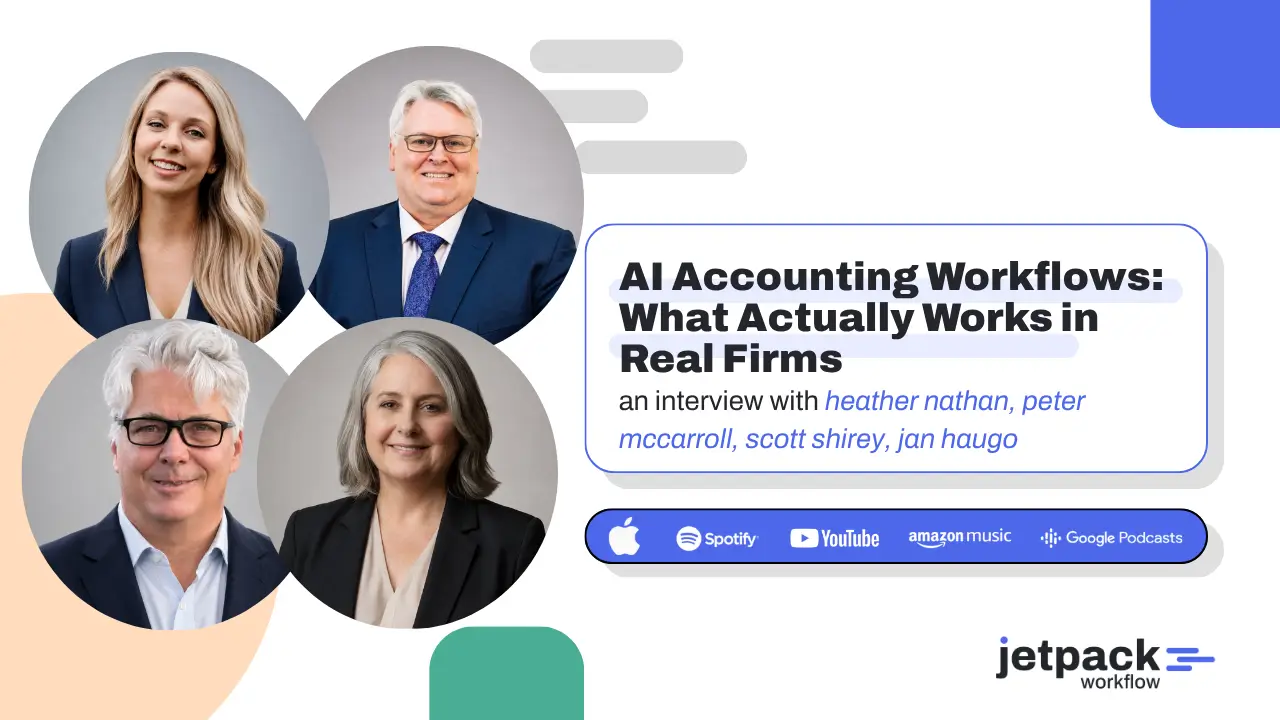
Four accounting practitioners joined Jetpack Workflow founder David Cristello to explain how they are using Claude Cowork in real firm operations. Their examples covered invoice automation, year-end file reviews, general ledger imports, payroll tie-outs, process documentation, meeting preparation, and internal knowledge management. The clearest lesson was not that firms need more AI tools. They need better-defined workflows, reliable source data, controlled access, human review, and a way to turn successful experiments into repeatable systems.
Key Takeaways
- Start with a process that is repetitive, painful, or prone to mistakes.
- Use AI for quality control as well as time savings.
- Record how work is completed, then turn the transcript into an SOP or reusable AI skill.
- Separate planning from execution when the task is complex.
- Save successful AI sessions so the firm does not have to solve the same problem again.
- Keep human review in place for client-specific decisions and final accounting work.
- Manage AI work inside a structured workflow system so owners, deadlines, and exceptions remain visible.
Artificial intelligence in accounting is often discussed in sweeping terms. It will change the profession. It will automate repetitive work. It will allow firms to serve more clients without adding the same amount of headcount.
Those claims may be directionally true, but they do not answer the question most firm owners are asking: What can we use it for right now?
That was the focus of a practitioner panel at Jetpack Workflow’s Growing Your Firm AI + Tech Summit. David Cristello spoke with Jan Haugo, Heather Nathan, Peter McCarroll, and Scott Shirey, four professionals who have moved beyond casual AI experimentation and started applying it to actual accounting workflows.
Their examples were different, but a common pattern emerged. AI created the most value when it was given a defined job, relevant context, clear constraints, and an existing process that could be tested and improved.
What Are AI Accounting Workflows?
AI accounting workflows are repeatable processes in which an AI tool helps complete, review, organize, or route accounting work. The AI may handle one step, such as checking a workbook for missing items, or several connected steps, such as reading source data, preparing an output, documenting assumptions, and creating follow-up tasks.
The important word is workflow. A useful AI process has a starting point, an expected output, an owner, a review step, and a clear definition of completion.
This is different from opening a chatbot and asking a one-off question. A chat may produce a useful answer. A workflow creates a repeatable way to get work done.
Four Real AI Workflow Examples From Accounting Practitioners
Heather Nathan: Turning a 20-Hour Invoicing Process Into a Three-Hour Workflow
Heather Nathan, Director of Digital Strategy and Solutions at Fine Point Consulting, shared an accounts receivable process that had taken roughly 20 hours to complete.
The client operated sleep studies and billed by volume. Contracts had different rates, and the process required customer names, products, and billing details to be mapped correctly into QuickBooks. It was highly manual and left plenty of room for rework.
Nathan used Claude Cowork to help build a Power Automate workflow and an Office Script. She tested and developed the process with AI, but she made a deliberate decision to keep the final automation inside the firm’s existing Microsoft environment.
That decision matters. An AI tool can help design a system without becoming the permanent home of the system. Firms can use AI to draft logic, troubleshoot scripts, document steps, and test edge cases, then deploy the finished process inside the tools the team already uses.
The result reduced a monthly invoicing process from approximately 20 hours to fewer than three. The team still reviews and adjusts the workflow, but it no longer rebuilds the process manually each month.
The practical lesson is to start with a workflow where the input and output are already known. If the team can show how invoices are created today, explain the rules, and provide examples of correct results, AI has a much better chance of helping build a reliable process.
Peter McCarroll: Using AI to Improve Review Quality
Peter McCarroll, founder of The AI Accountant, described a different objective. His workflow was not primarily designed to save time for the preparer. It was designed to improve quality before work reached the reviewer.
His team uses a Google workbook to document year-end work and review the balance sheet. Files were sometimes reaching him with steps left incomplete. To address that, McCarroll created a Claude skill based on the checks he performs across each tab.
The skill reviews the workbook and adds a new tab that identifies possible omissions. Staff members must resolve or explain those items before submitting the file for final review.
The workflow may add time for the preparer because missed items must be corrected. That is the point. It moves quality control earlier in the process, helps junior staff learn what reviewers look for, and reduces the amount of preventable cleanup placed on senior team members.
This is one of the strongest AI use cases for accounting firms. AI does not need to replace professional judgment to be useful. It can act as a consistent first-pass reviewer that checks whether required steps were followed and whether obvious exceptions were addressed.
Scott Shirey: Converting Source Data Without Rebuilding Excel Models
Scott Shirey, CPA at Shirey CPA, works across bookkeeping, close, controllership, and financial planning and analysis. His work often requires data from one system to be converted into a format that another system can accept.
He originally became interested in Claude because of its ability to work with Excel. Over time, however, the bigger value came from reducing his dependence on complicated spreadsheet models.
Instead of maintaining a separate model for every general ledger import, Shirey now focuses on providing clean source data and describing the required destination format. He explains which columns matter, which values should be ignored, how totals should be calculated, and how the final import should be structured.
Once the process works, it can be saved as a reusable skill. The skill is not mysterious code. It is a clear explanation of how the task should be completed, supported by examples and refined through testing.
Shirey’s experience offers an approachable starting point for firms. If a senior accountant can explain a spreadsheet process to a junior team member, that explanation can often become the foundation for an AI-assisted workflow.
Jan Haugo: Turning a Loom Recording Into Multiple Firm Systems
Jan Haugo, founder and CEO of SmartAccountant.ai, started with a year-end process recorded in Loom. She gave the transcript to Claude Cowork and asked it to identify opportunities for standardization, efficiency, staff training, projects, and reusable skills.
That single source became the starting point for several practical systems:
- A general ledger error-detection process
- A review workflow that junior and senior staff could both use
- A 1099 readiness review
- A payroll-to-books tie-out
- An onboarding resource for interns and new team members
This example solves a common documentation problem. Firm owners and senior staff often know how the work should be done, but that knowledge lives in their heads. Writing a complete SOP from a blank page feels like another project they do not have time to finish.
Recording the work lowers the barrier. The practitioner completes the process while explaining decisions, exceptions, and common mistakes. AI can then organize the transcript into a draft SOP, identify missing information, and suggest where a checklist, project, or reusable skill may be appropriate.
Jetpack Workflow has long recommended documenting recurring work and turning it into a repeatable process. Firms that need a starting structure can also use these free accounting workflow templates to define steps, responsibilities, and deadlines before adding AI.
The Most Important Lessons From the Panel
AI Can Improve Quality, Not Just Speed

The most valuable automation is not always the one that removes the most minutes. A review layer that catches missing steps can protect client service, reduce senior review time, and help staff learn faster.
Firm leaders should evaluate possible AI workflows using more than one measure:
- Time saved
- Errors prevented
- Review time reduced
- Consistency improved
- Training value created
- Client response time improved
- Knowledge retained inside the firm
This broader view helps firms avoid automating only low-value administrative work while overlooking quality and risk controls.
Separate Planning From Execution
Shirey shared another practice that improved nearly every output he received from Claude: separating planning from execution.
Instead of asking AI to create a deliverable immediately, he begins with a planning session. The AI mirrors his explanation, asks questions, and identifies gaps. Only after the assumptions and desired output are clear does it create an execution prompt. He then starts a fresh task using that prompt.
This reduces the chance that abandoned ideas, unclear priorities, or early assumptions contaminate the final work. It also gives the practitioner a chance to inspect how the AI understands the assignment before it acts.
For accounting firms, a planning stage can ask:
- What source files are required?
- What period and entity are being reviewed?
- What rules or thresholds apply?
- What exceptions require human judgment?
- What should the final deliverable contain?
- Who must approve the result?
Preserve What Worked
AI experiments often produce a good result once, then disappear inside a long conversation history.
Shirey addressed this with what he calls a memory-saver skill. At the end of an important session, the skill documents the decisions, changes, open items, and successful approach. He saves that context in an organized folder structure so it can be reused later.
McCarroll uses a related retrospective process built around three questions:
- What worked well?
- What did not work well?
- How should the process improve next time?
The answers can be used to revise the skill, prompt, checklist, or SOP. This creates a simple improvement loop instead of treating every AI interaction as a fresh start.
Keep SOPs and AI Instructions Aligned
As firms build more AI skills, they may end up with two sources of process information: the SOP written for people and the instruction set written for AI.
Haugo described a flagging process that checks whether changes in chats, emails, or internal documentation suggest that an SOP or skill has become outdated. A human reviews the proposed change before the skill is updated.
That review step is essential. Firm procedures should not change silently because an agent noticed a different practice in one email. The system should surface a possible conflict, identify the source, and send it to an authorized reviewer.
A Practical Framework for Starting an AI Accounting Workflow
Step 1: Pick One Painful, Repeatable Process
Choose a process that happens often, takes too long, or creates recurring review problems. Good starting points include general ledger imports, year-end workpaper reviews, client meeting preparation, invoice preparation, payroll tie-outs, or recurring status reporting.
Step 2: Capture the Current Process
Record a screen-share walkthrough or write down the steps as they happen. Include the decisions experienced staff make, not only the clicks they perform.
Step 3: Define the Inputs and Expected Output
Give the AI examples of source documents and completed work. Explain what success looks like, what must never change, and which exceptions require human review.
Step 4: Test With Low-Risk Data
Use sample, redacted, or internal data first. Compare the result against work completed by an experienced team member. Keep notes on missed rules, incorrect assumptions, and formatting problems.
Step 5: Add a Human Review Gate
Identify who checks the output and what they must verify. AI can prepare, organize, or review work, but the responsible professional still owns the final result.
Step 6: Turn the Successful Process Into a Reusable System
Document the final prompt, create a repeatable skill where appropriate, update the SOP, and place the work inside the firm’s workflow management system.
This final step is where an experiment becomes operational. Jetpack Workflow can help firms assign the process, apply recurring deadlines, monitor progress, and see where client work is blocked. Learn more about how workflow systems help accounting firms become AI-ready.
Why Workflow Structure Still Matters in an AI-Enabled Firm

AI can read files, prepare drafts, and identify possible exceptions. It does not remove the need to know what work is due, who owns it, which client is affected, or whether a reviewer approved the result.
In fact, AI makes workflow discipline more important. When work can move faster, a poorly defined process can create mistakes faster as well.
A structured accounting workflow should still answer:
- What triggers the work?
- Which steps recur?
- Who owns each step?
- What is the deadline?
- Which information is required?
- Where does human review occur?
- What happens when an exception appears?
- How is completion recorded?
Jetpack Workflow provides that operational layer for accounting, bookkeeping, tax, payroll, and CAS firms. Teams can standardize recurring work, assign responsibilities, track deadlines, and maintain visibility while deciding which individual steps are suitable for AI assistance.
Ready to organize the workflows that your firm wants to automate? Start a 14-day free trial of Jetpack Workflow and turn recurring processes into trackable client work.
Frequently Asked Questions
How are accounting firms using AI in their workflows?
Accounting firms are using AI to review workpapers, convert source data, prepare spreadsheets, document processes, summarize meetings, draft communications, identify missing steps, and support recurring administrative work. The strongest implementations use clear inputs, defined outputs, and human review.
What is a good first AI workflow for an accounting firm?
A good first workflow is repetitive, easy to explain, and low risk. Examples include formatting data for an import, checking a workbook for missing information, preparing a meeting summary, or turning a recorded process into a draft SOP.
Can AI replace an accounting firm’s SOPs?
No. AI instructions and skills can help execute parts of a process, but the firm still needs an approved source of truth for how work should be completed. SOPs, workflow templates, and AI instructions should be reviewed together and kept aligned.
Should firms measure AI only by time saved?
No. Firms should also measure error prevention, review time, consistency, training value, client response time, and the amount of institutional knowledge retained.
Where does workflow software fit with AI?
Workflow software manages the operational structure around AI-assisted work. It tracks clients, owners, recurring tasks, deadlines, progress, and review steps so the firm can use AI without losing accountability or visibility.
Last Updated: August 2026
Related Articles
- How to Simplify Your Accounting Firm: 5 Systems to Eliminate Bottlenecks
- The Future of Accounting Firms in an AI Driven World with Ryan Lazanis
- How Coaching Transforms Accounting Leaders: Lessons from Douglas Slaybaugh
- How Tailor Hartman Took His Accounting Firm to 200K in Year 1
- Why Outsourcing plus Workflow Software is the Future of Accounting Firms
- AI Tools That Help Accounting Firms Scale Faster
- How to Scale to a $1M Accounting Firm Without Hiring More Staff
- Tax Resolution for Accountants: A $100K Client Opportunity
- ChatGPT for Accountants: How to Create High-Level Advisory Reports with Better Prompts
- How Jeff Seibert Is Using AI Accounting Firm Automation to Build a 90% Automated Firm
- How Nonprofits Manage Grants Using QuickBooks (And Where It Falls Short)
- AI for Accounting Firms: Isaac Perdomo on Automating Workflows and Efficiency
- How to Build AI Agents for Accounting Firms: Isaac Perdomo’s Three-Step Framework
- Claude Cowork for Accountants: Toni Witt on Building Real AI Systems
Share this article